Redwood Experience for Configure Actions Page
Enrich the user experience with the Configure Actions page developed using the Redwood tool set. The page is built from the ground up using Visual Builder Studio (VBS) to give you a unique experience of Oracle applications.
1. Translation Editor : You can now translate the text using the Translation Editor. The text can be translated into Canadian French, Korean, and American English.
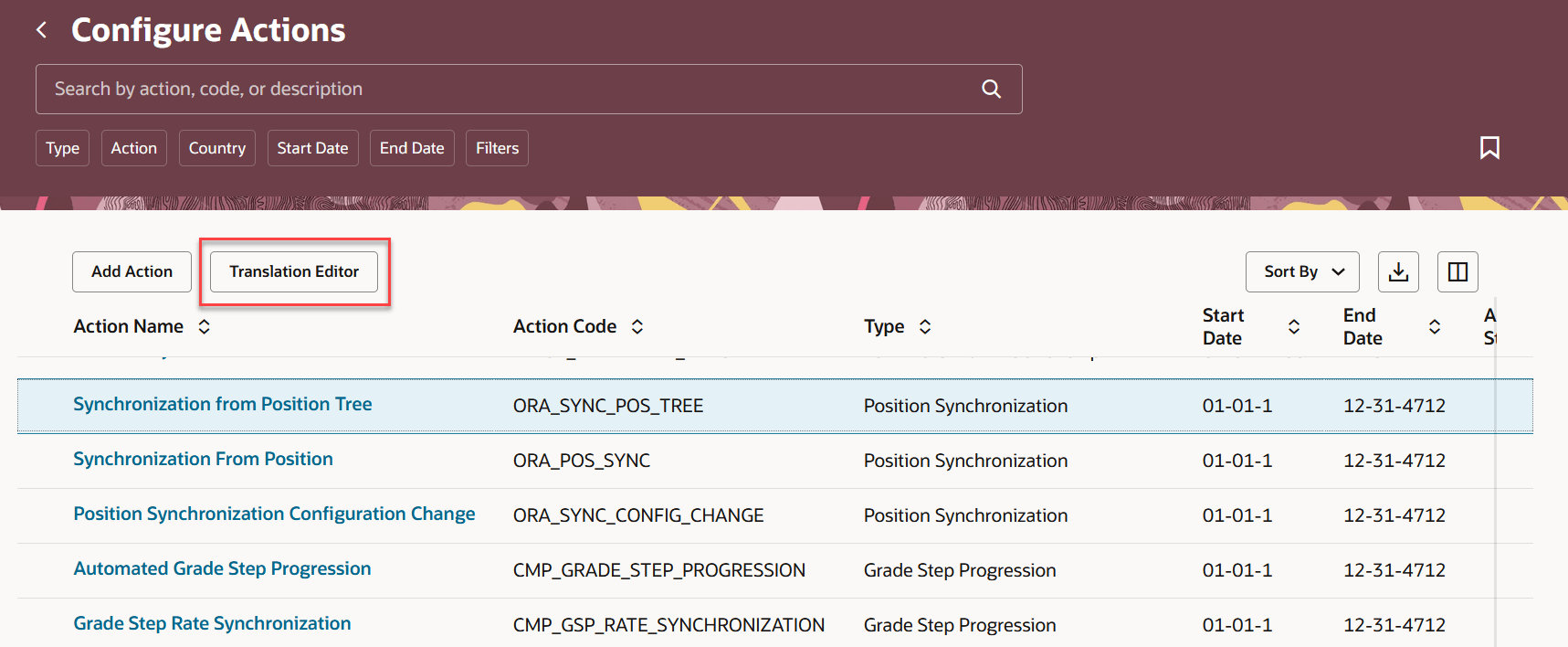
Configure Actions page
You can also associate an existing reason with an action.
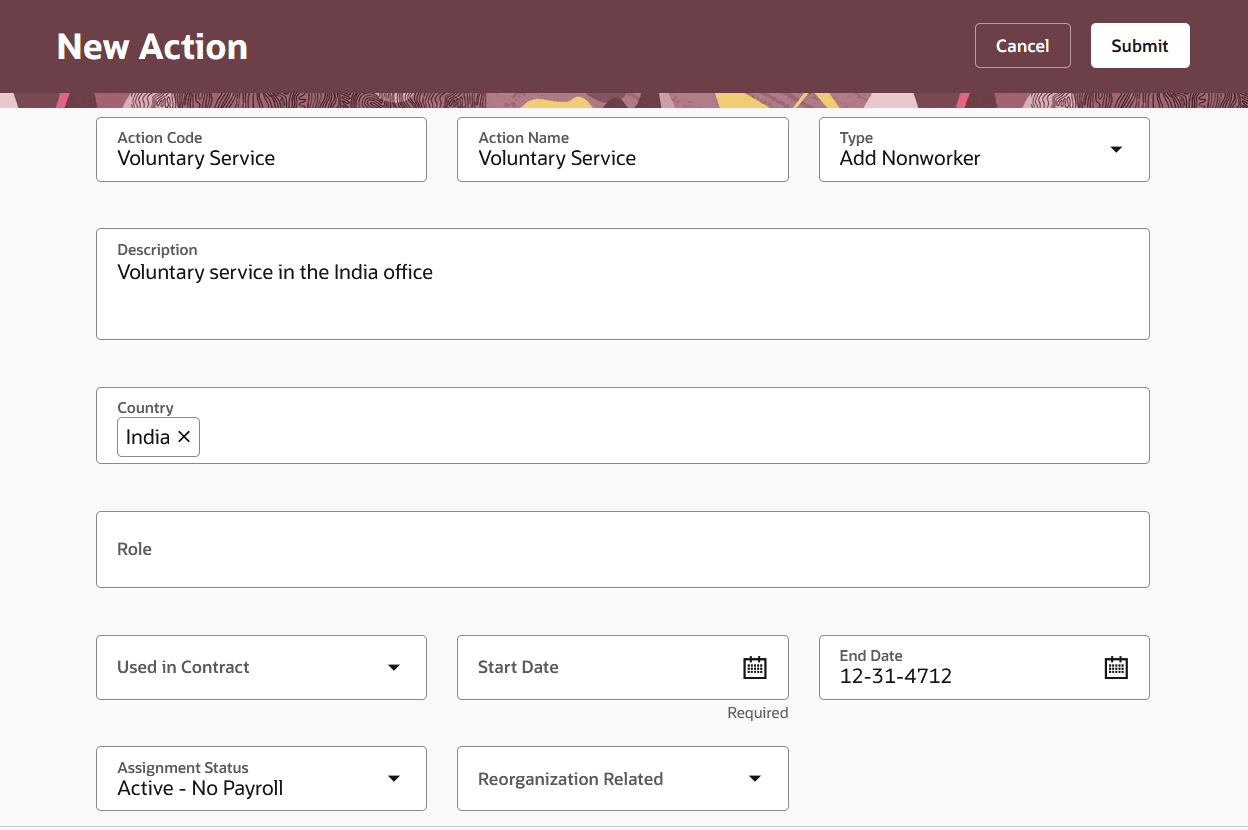
Configure new action
For voluntary termination and end assignment actions assignment status is hidden in the Configure Actions page.
2. Visual Builder Studio (VBS) - These are the new page properties added for the Configure Actions pages in VBS.
- Ability to show Guided Journey on the Action UI
- Ability to Hide Add Button
- Ability to Hide Translation Editor Button
New page properties for the Add Action page:
- Ability to make Required/Hidden/Read only for Actions section attributes including flexfields
- Ability to make Required/Hidden/Read only for Associated Actions section attributes
New page properties for the Edit Action page
- Ability to make Required/Hidden/Read only for Actions section attributes including flexfields
- Ability to make Required/Hidden/Read only for Associated Actions section attributes
The new page offers a modern look and feel, fewer clicks, and better performance. By using these new pages or flows, you can take advantage of the cohesiveness through the application.
Steps to enable and configure
You don't need to do anything to enable this feature.
Key resources
For more information, refer to the following resource on the Oracle Help Center.
- Action, in the Implementing Global Human Resources guide
Here are the topics we recommend on getting started with Express Mode.
-
Refer to the following documentation in this order:
-
Express Mode in VBS for detailed instructions on using specific Express Mode features.
-
Extending Redwood Applications for HCM and SCM Using VB Studio for details on what’s supported by HCM.
-
-
You can refer to the VB Studio documentation "Configure an Oracle Cloud Application" to check the steps to access VB Studio from a Redwood page.
-
Extending HCM Redwood Applications Using Visual Builder Studio
-
Refer to the Customer Connect forum Visual Builder Studio for HCM
Access requirements
Access to the new Redwood Configure Actions pages is controlled using the same security privileges that control access to the responsive Configure Actions pages.
For information on existing security privileges, refer to this resource on the Oracle Help Center.