Disable Hyperlinks in Historical and Future Sections on the Employment Info Page
You can now control whether action hyperlinks are shown in the Historical Changes and Future Changes sections of the Redwood Employment Info page.
A new page property, Hide hyperlinks in historical and future sections, is available for the Employment Info page in VB Studio. This property allows administrators to decide whether action hyperlinks should be shown or hidden for historical and future employment actions.
When the property is set to No, which is the default value, action hyperlinks are shown and users can drill down into the corresponding employment transactions.
This enhancement gives organizations greater control over navigation behavior on the Employment Info page, helping prevent users from drilling into historical or future employment actions while still providing visibility into employment changes.
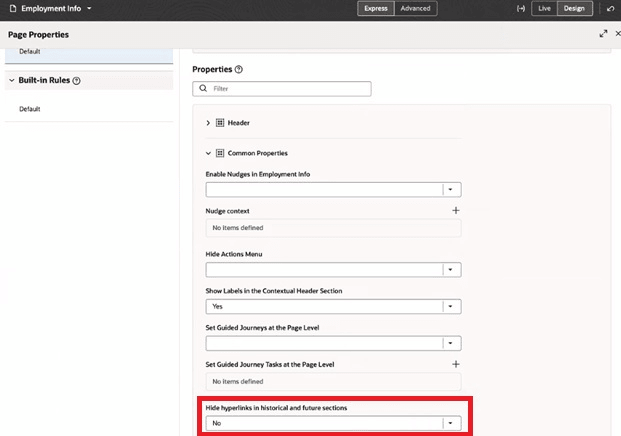
Hide hyperlinks in historical and future sections
When the property is set to Yes, the action hyperlinks are hidden, while the action text remains visible on the page.
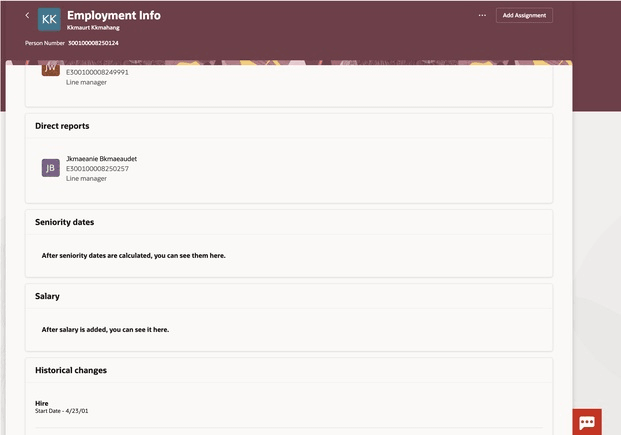
Hyperlinks greyed out
This enhancement helps organizations prevent unintended navigation to historical or future transactions while maintaining visibility into employment changes.
Steps to enable and configure
For more information refer to this topic on the Oracle Help Center - How do I control the display of a UI element in Visual Builder Studio?
Key resources
For more information, refer to these resources on the Oracle Help Center.
- Express Mode in VBS for detailed instructions on using specific Express Mode features.
- Extending Redwood Applications for HCM and SCM Using VB Studio for details on what’s supported by HCM.
- You can refer to the VB Studio documentation "Configure an Oracle Cloud Application" to check the steps to access VB Studio from a Redwood page.
- Extending HCM Redwood Applications Using Visual Builder Studio
- Refer to the Customer Connect forum Visual Builder Studio for HCM