Default Enrollment Path Selection for Redwood Self-Service Benefits
Administrators can now set a default enrollment path for the Choose How You Want to Enroll step in the benefits enrollment journey. By selecting a single default option, the step will be hidden from employees, streamlining the enrollment process, and reducing decision points for users.
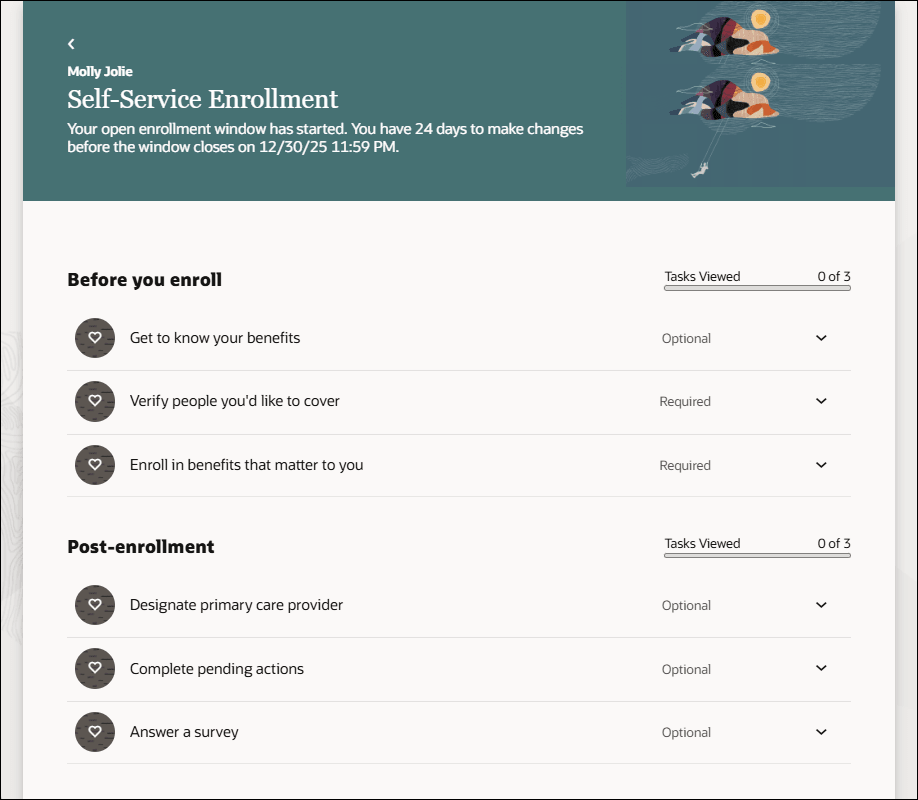
Self-Service Benefits Enrollment Journey Page
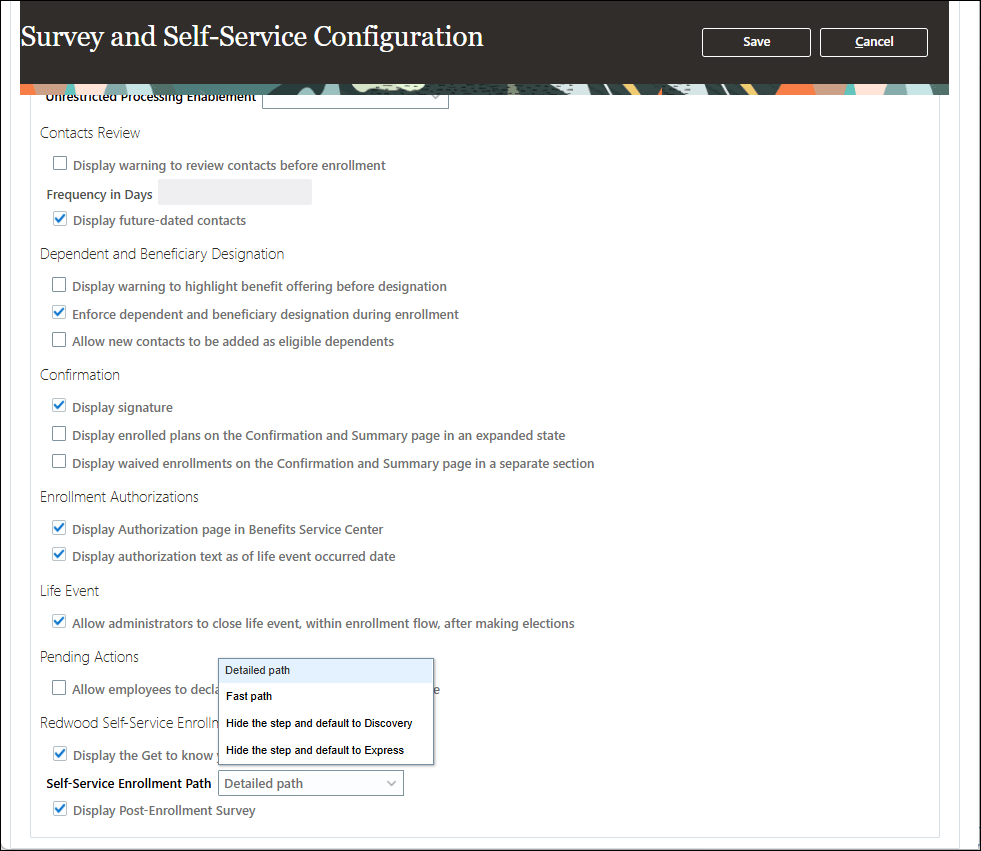
Self-Service Configuration Page
By allowing administrators to set a default enrollment path and to hide the corresponding selection task, this feature simplifies the benefits enrollment process for employees. It helps accelerate task completion and provides a more consistent enrollment experience.
Steps to enable and configure
How do I set default enrollment path for Redwood self-service Benefits?
Prerequisites:
How do I enable a profile option?
How do I adopt Redwood for Benefits?
Tips and considerations
For the Benefits Summary page, the Express path is always selected by default.
Key resources
Benefits Questions and Answers
Start Here- Learning opportunities to get started with Benefits Redwood Adoption
Access requirements
Users with these roles can access the feature:
- Benefits Manager
- Benefits Administrator
- Benefits Specialist