Enhancements to Check-Ins
Enhancements to check-ins include:
- Save a check-in.
- Add performance and development goals as default discussion topics.
- Display or hide the questionnaire for the manager and employee.
- New extensible page properties.
Save a Check-In
You can now save your changes while updating a check-in using the Save button. When either the manager or employee saves a check-in, the other participant can view the updates immediately.
Note: Saving a check-in doesn't trigger a calendar invite or a notification. The notification displayed after saving a check-in doesn’t indicate what was changed. In contrast, the notification displayed when you click the Update button, which reverts you to the previous page, indicates the sections updated in the check-in.
Add Performance and Development Goals as Default Discussion Topics in Touchpoints Check-Ins
You can add active performance and development goals for the performance review period as default discussion topics when scheduling a Touchpoints check-in.
Display or Hide the Questionnaire for Manager and Employee
When creating a check-in template, you can control the display of the questionnaire, enable scores, display the scores between a manager and an employee, and vice versa.
When updating a check-in, the display of the questionnaire is controlled by these configurations in the Check-In Template page.
| Check-In Content Options | Description |
|---|---|
| Questionnaire | Specify a questionnaire for the employee and manager, or both. |
| Allow manager to see worker's questionnaire | Specify whether a manager can see their employees' questionnaire in a check-in. |
| Enable scoring | Enable scoring for the employee and manager questionnaire. |
| Allow worker to see own score | Indicate whether an employee can see their questionnaire score. |
| Allow manager to see worker's score | Enable a manager to see their employees’ questionnaire score. |
| Allow worker to see manager's questionnaire | Specify whether an employee can see their manager's questionnaire. |
| Allow manager to see own score | Indicate whether a manager can see their questionnaire score. |
| Allow worker to see manager's score | Enable an employee to see their manager’s questionnaire score. |
Use Extensible Page Properties
You can control the display of the following using page properties on the Check-In page:
- Save button when updating a check-in.
- Target and proficiency ratings in the Competencies tab of the Discussions drawer.
- Display additional person fields in the check-in page headers.
For detailed information, see: What are the page properties to display or hide elements on a Touchpoints page?
Topics Discussed
The Topics Discussed column shows the number of discussion topics marked as discussed out of the total discussion topics added to a check-in. Goals, competencies, feedback, skills and General topics are counted as discussion topics, but questionnaires are not counted.
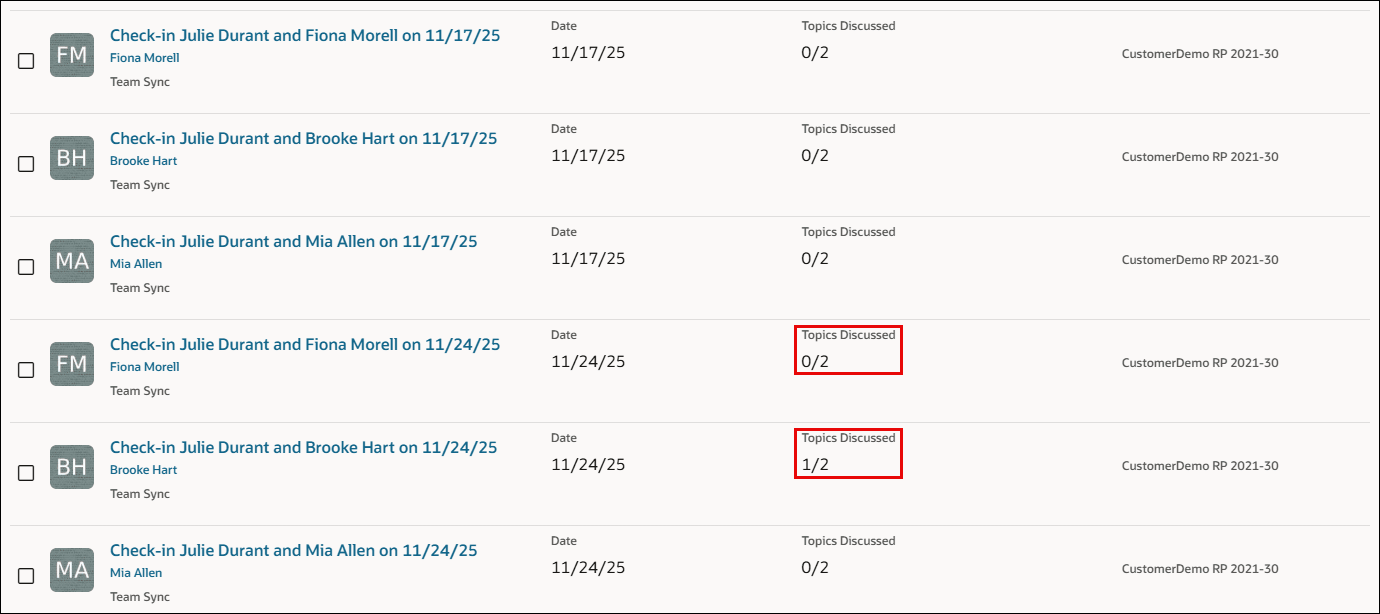
Topics discussed
Business Benefit
These updates on the check-in page and check-in template enhance the working experience, thereby improving interactions between a manager and the team.
Steps to enable and configure
For details, see: How do I add a questionnaire and goals as discussion topics when scheduling a check-in?