 Project-Based Expense Lease Payments
Lease administrators can now track lease payments to a project and record the project information on lease invoices created in Oracle Payables for payment processing. Capture these project details on lease payments: project name, task, and expenditure information.
To record project information on expense leases and lease invoices:
- Create an expense lease.
- Update lease details to provide the Project Number and Expenditure Organization.
- Add an asset to the lease.
- Create a payment and enter the required payment details.
- The Project Number and Expenditure Organization are defaulted to the payment from the lease details. To complete the project information, enter the Expenditure Type and Task Number.
- Validate the lease and generate schedules.
- Approve and export the lease payments to Oracle Fusion Cloud Payables.
- The project information recorded on the lease payment is available on the lease invoices.
- Use the lease amendment process to update project details on active leases.
- Alternatively, use the Expense Lease Contract Import utility to import new lease contracts and amendments with project details.
- Project information can also be recorded when creating Miscellaneous Payments.
The following screenshots describe capturing project information on expense leases and lease invoices:
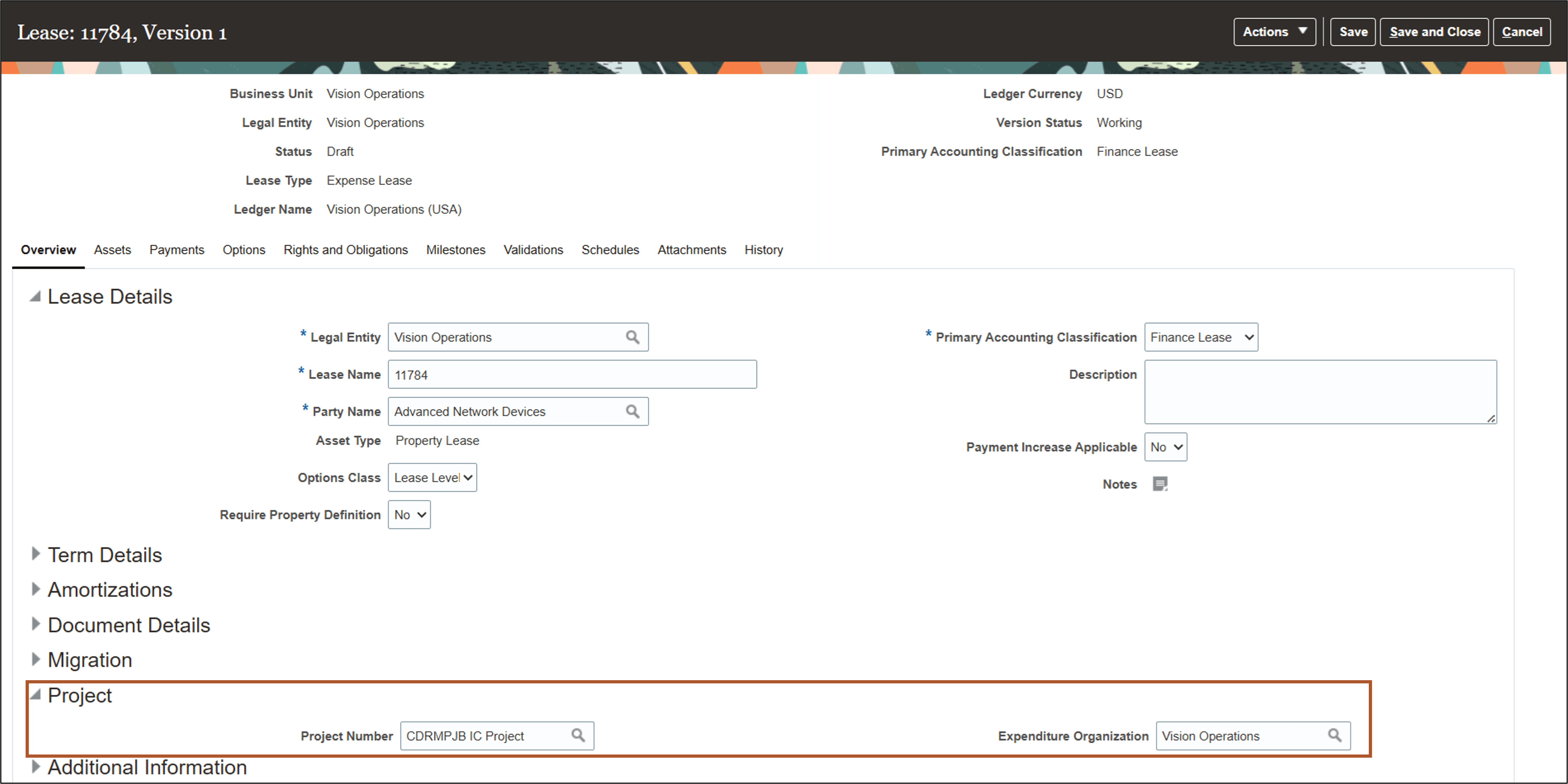
Update Lease Details page
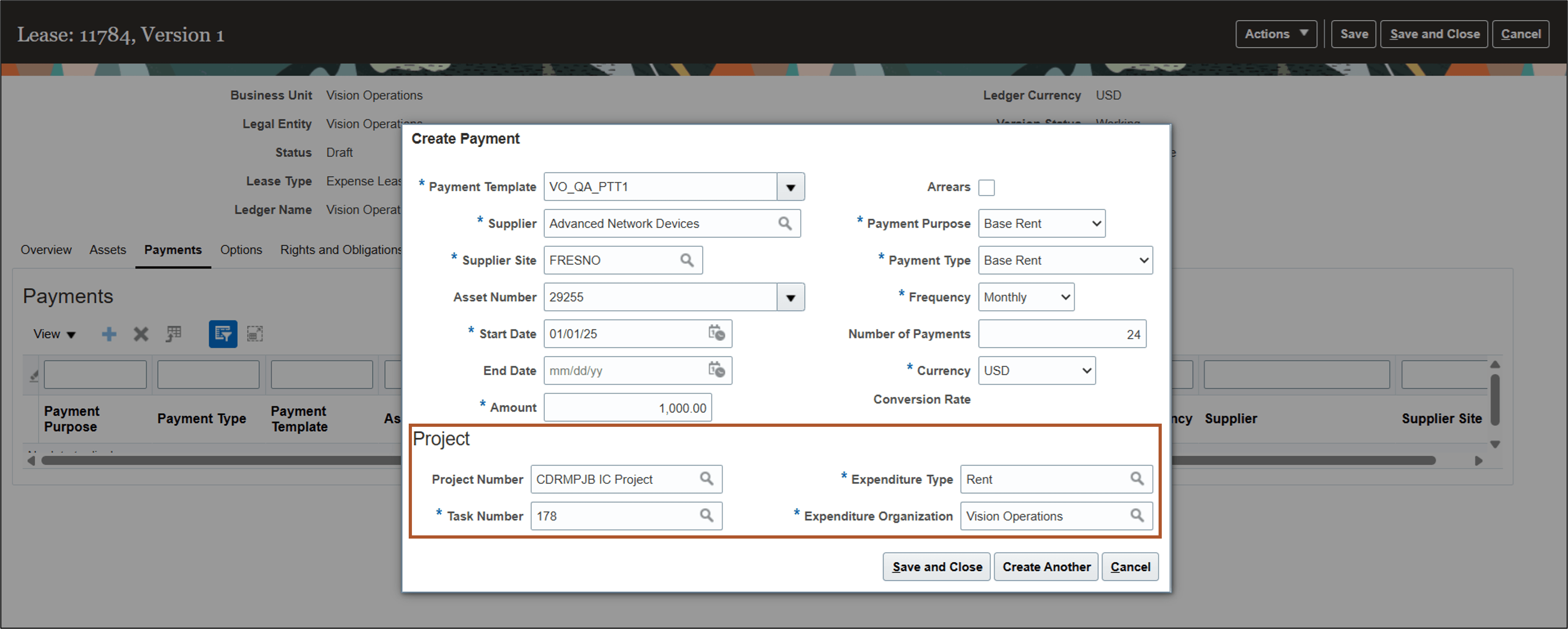
Create Payments page
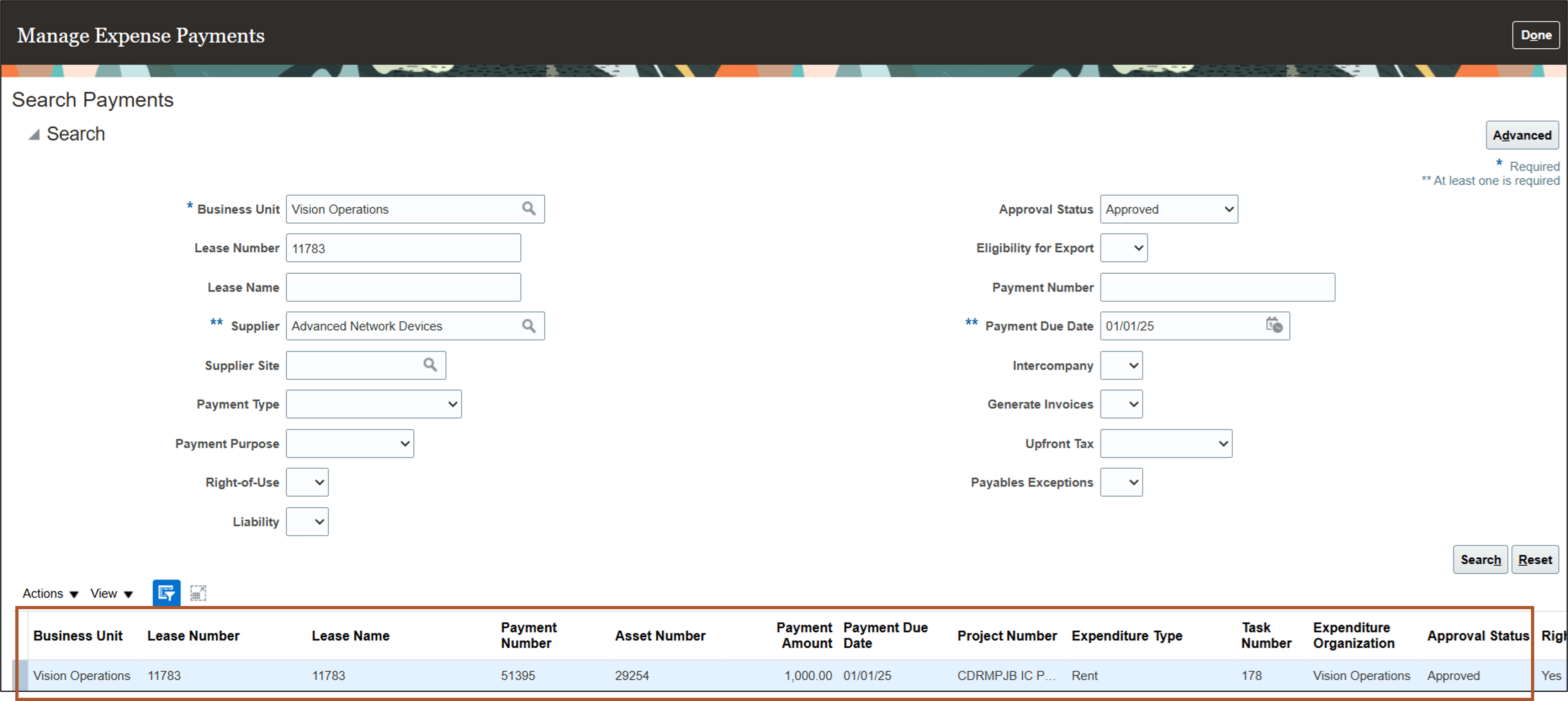
Manage Expense Payments page
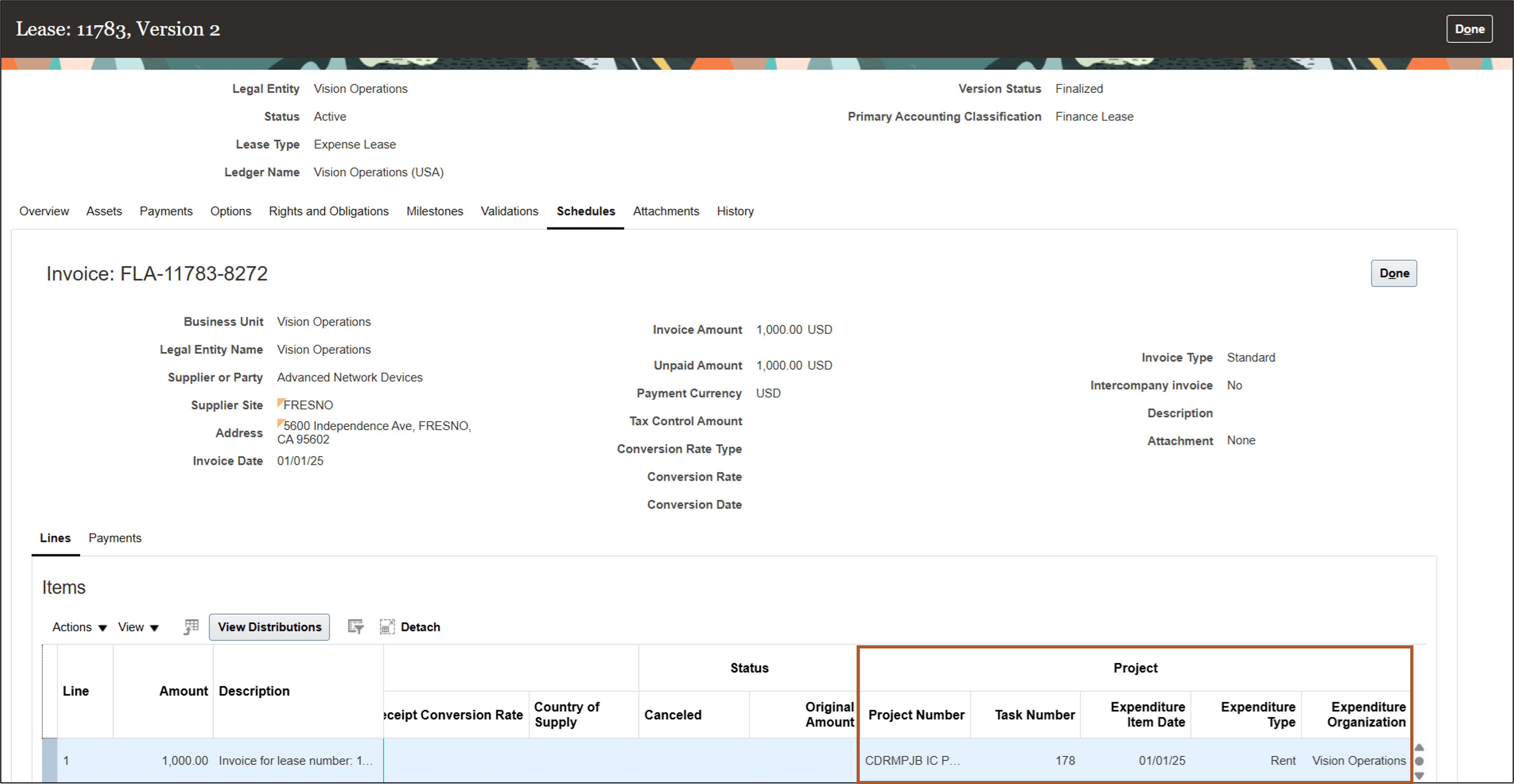
View Payables Invoice page
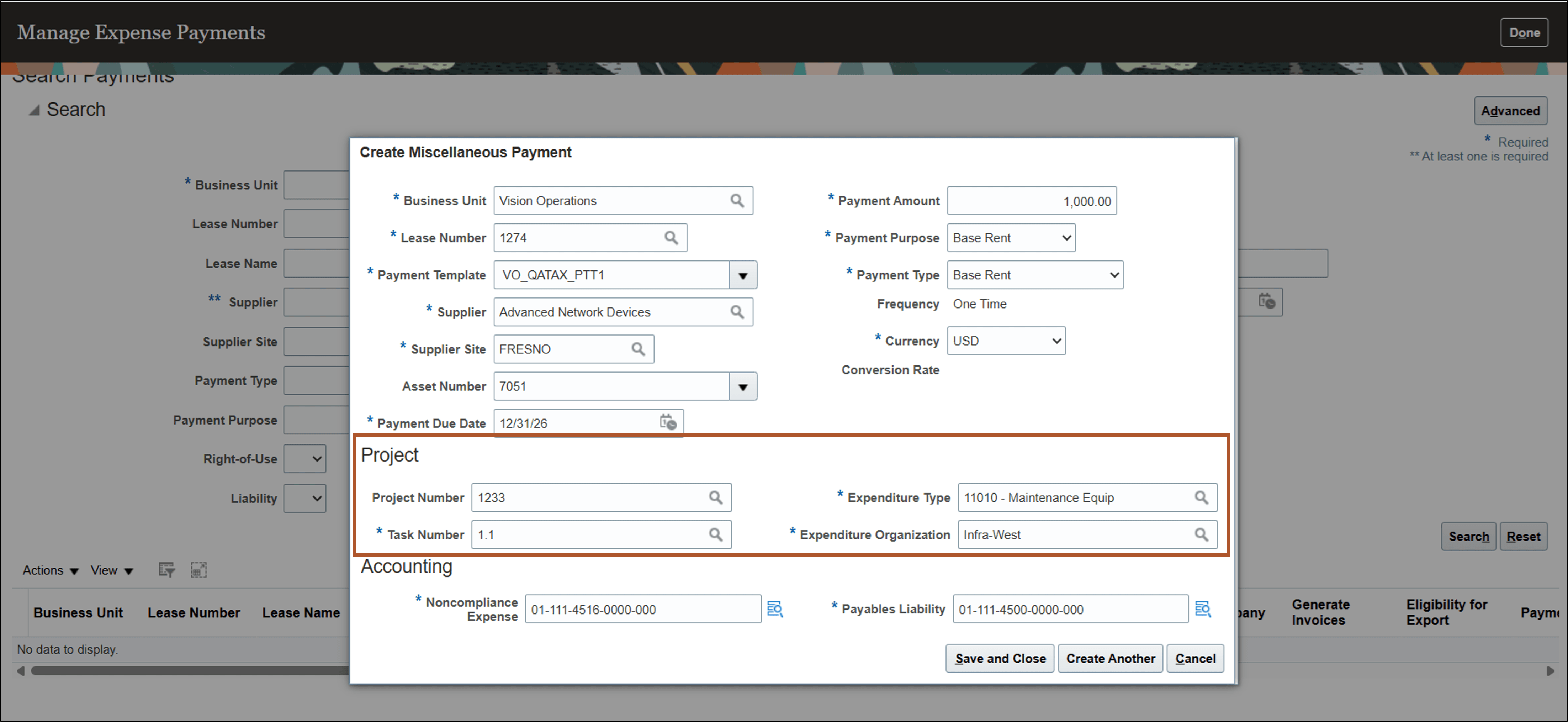
Create Miscellaneous Payment page
Business benefits include:
- Regulate spending with lease expenses tracked against project budgets.
- Increase controls and simplify reconciliation by associating lease payments with their corresponding project information.
Here's the demo of these capabilities:
Steps to enable and configure
Use the Opt In UI to enable this feature. For instructions, refer to the Optional Uptake of New Features section of this document.
Offering: Financials No Longer Optional From: Update 26C
Key resources
Based on Idea 505481 from the Lease Accounting Idea Lab on Oracle Cloud Customer Connect.
Access requirements
No new access requirements.