Create Document Schemas for Document Processing in AI Agent Studio
You can now use the Resources tab in AI Agent Studio to create document schemas that define the structure and fields of data extracted from documents in agentic flows. Document schemas can be generated from sample documents using the Generate Schema button and reused within a workflow.
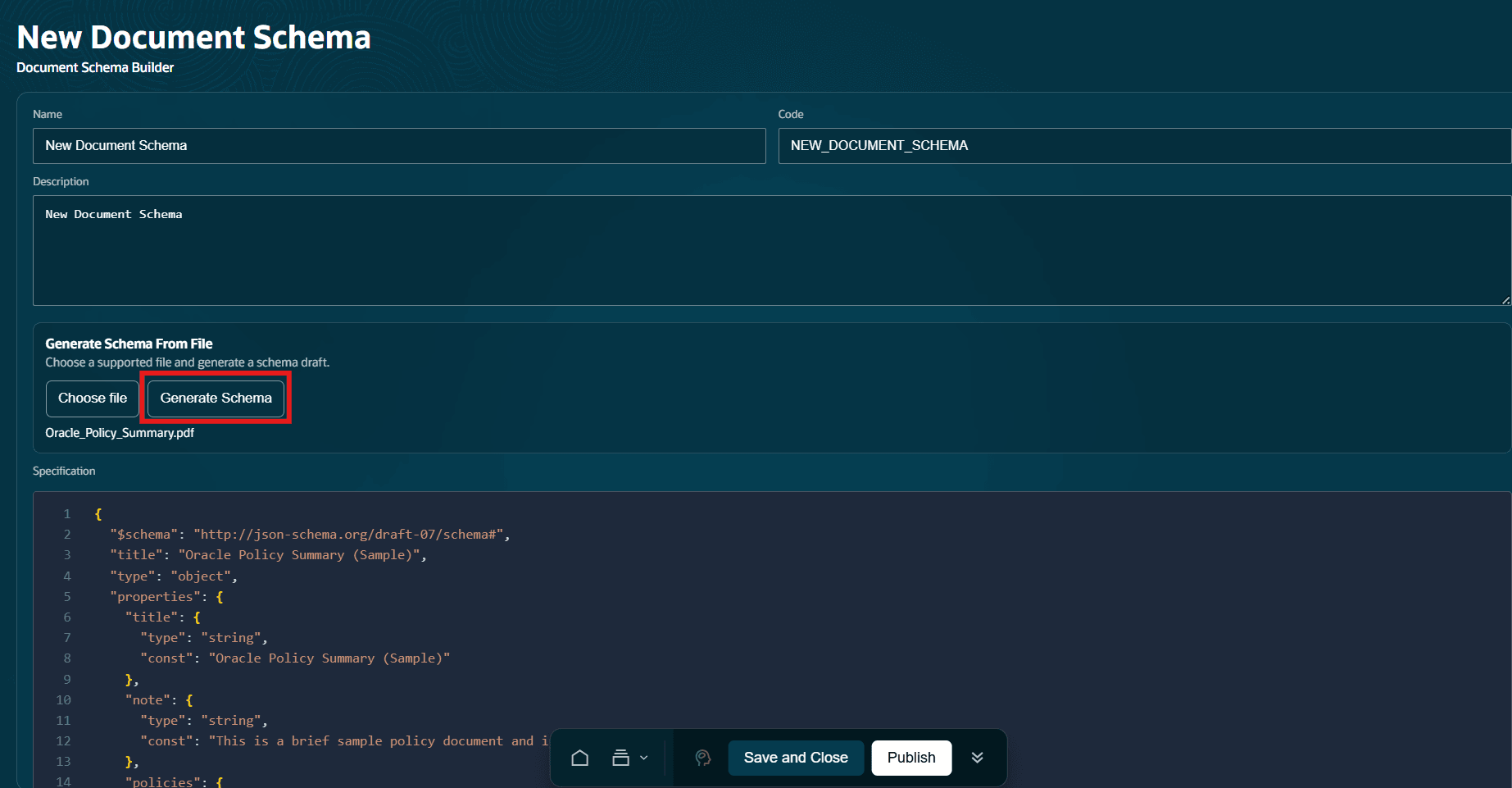
Generate document schemas from sample documents
Associate your published document schema with the Document Processor node in your agentic flows to define the structure of the extracted data. The document processor node uses the associated schema and LLM model to extract structured information from documents and returns the extracted data in a format defined by the schema for agentic flow processing.
Document schemas help organizations standardize document processing by defining a consistent structure for extracting business data from documents. This capability improves accuracy, reduces manual data entry, and enables agents to work with structured information instead of raw document content. Organizations can support a variety of document-driven scenarios while simplifying document processing maintenance through reusable schema definitions that can be applied across multiple agentic flows.
Steps to enable and configure
You must have access to use AI Agent Studio.
Key resources
Add a Document Schema to a Document Processing Node of Workflows
Access requirements
Access Requirements for AI Agent Studio