View Request History
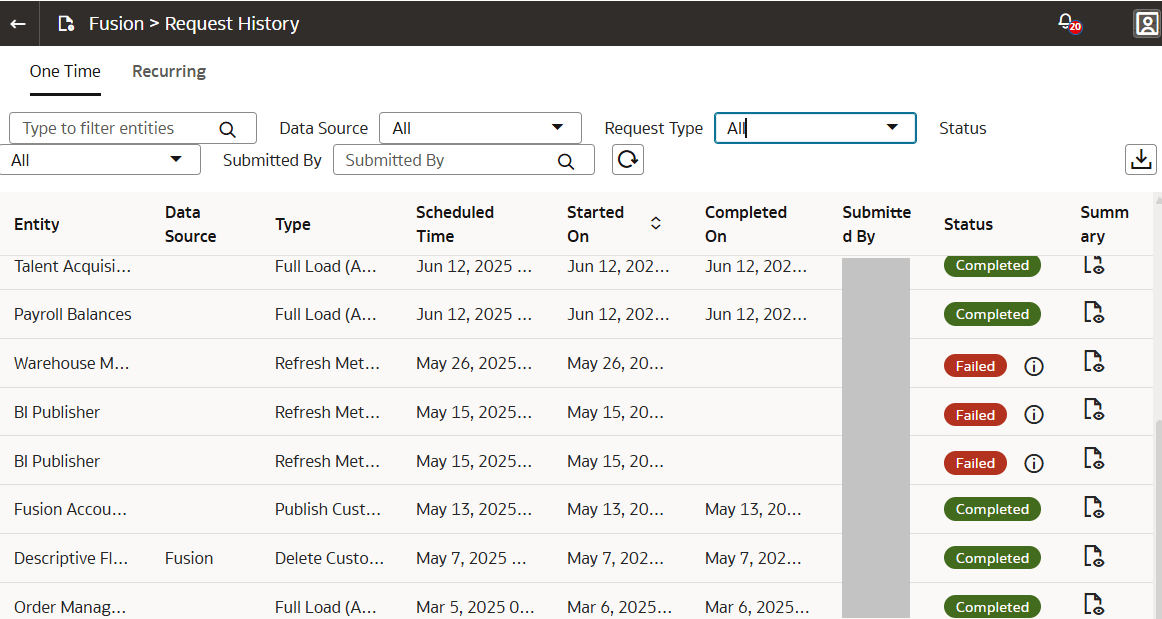
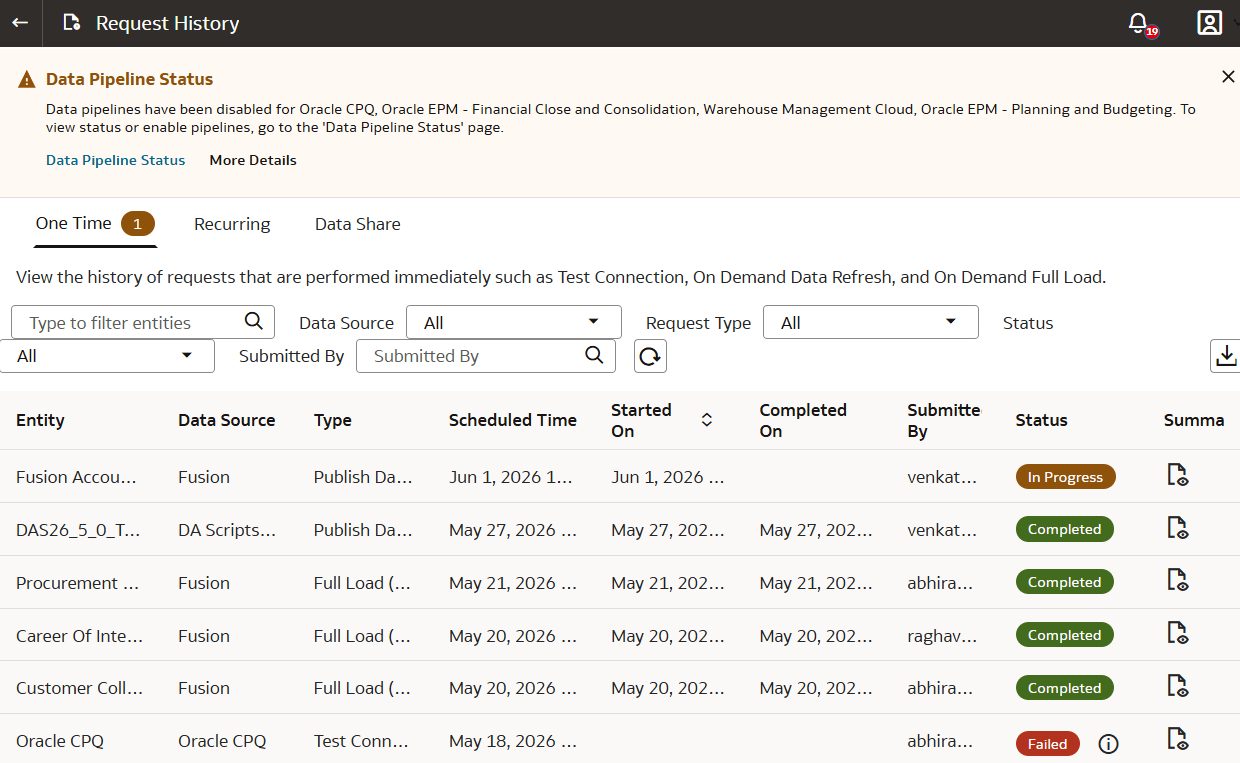
You can view the history of different requests for tracking, reference, and auditing purposes. The request history is visible by data source, functional area, request type, and status along with other details
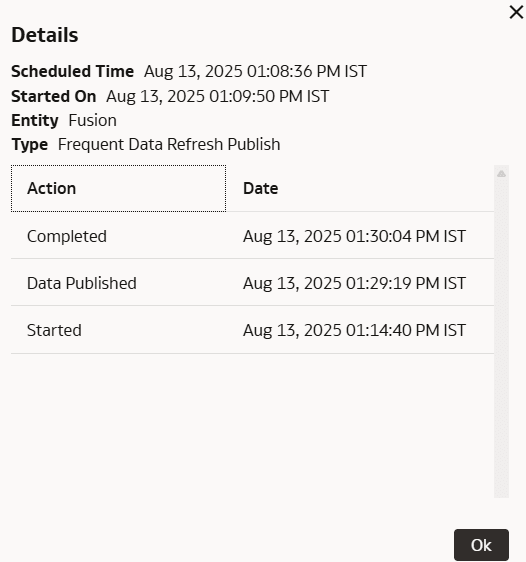
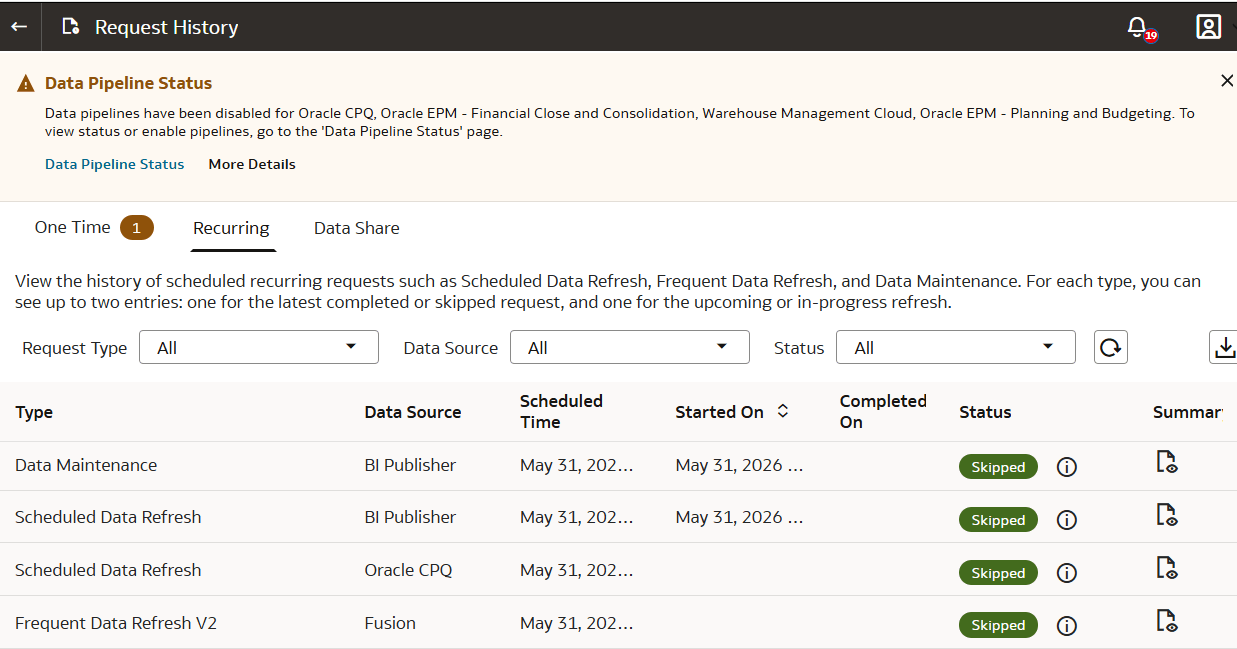
You can view the details of one time requests and scheduled recurring refreshes. The One Time tab displays the details of the requests performed immediately such as Full Load (Adhoc) and Test Connection. The Recurring tab displays details about the most recently completed, skipped, upcoming, and in-progress refresh as applicable. It displays a maximum of two records for each recurring request. If the request type is Scheduled Data Refresh and the status is InProgress, the system enables the Data Refresh Estimate feature with an information icon next to the status. Click the icon to view the Estimated Completion Time. You can also view applicable additional timestamps in the Summary dialog such as Priority Data Published (if applicable), Primary Data Published (if applicable), Data Published, and Refresh complete (which includes post-processing).
About Request Types and Statuses
When you perform tasks on a functional area, you can review the different types of requests involved with those tasks in the Request History area.
One Time Request Types
| Request Type | Description |
|---|---|
| Custom Attribute Mapper | A Netsuite-specific request run. |
| Data Source Reset | A request to reload complete data for a data source. |
| Delete Custom Data Configuration | A request to delete a custom data configuration. |
| Delete Source Connection | A request to delete a connection to a data source. |
| Deploy Custom Data Configuration | A request to deploy a custom data configuration in the data warehouse. |
| Frequent Data Refresh Publish | A request to publish the frequent data refresh configuration. |
| Full Load (Adhoc) | A full load run that happens immediately upon request. |
| Full Load (Scheduled) | A request to schedule a full load run. |
| Generate Custom Data Configuration | A request to generate a custom data configuration. |
| Module Reset | A request to refresh the data in the data warehouse for the functional area. |
| Publish Custom Data Configuration | A request to generate and deploy a custom data configuration in the data warehouse. |
| Refresh Data | The system ran a request to refresh data. |
| Rejected | When any request is rejected. |
| Reload Data (Next Data Maintenance) | A request to reload data in the next scheduled data maintenance. |
| Reload Data (Next Refresh) | A request to reload warehouse data in the next scheduled data refresh. |
| Reset & Reload | A request to reload warehouse data for a data source. |
| Reset Data Warehouse | A request to reset the warehouse. This reset deletes all the customer-added warehouse data. |
| Test Connection | A request to initiate test connection for a data source. |
| Undeploy Custom Data Configuration | A request to remove data from the warehouse while retaining the custom data configuration. |
Recurring Request Types
| Request Type | Description |
|---|---|
| Scheduled Data Refresh | Incremental data refresh that is performed according to the Data Refresh schedule in Pipeline Settings. |
| Frequent Data Refresh | Intra-day refreshes performed according to the Frequent Data Refresh schedule. |
| Data Maintenance | Data refresh that is performed as part of data maintenance for full data reloads with incremental refresh. |
One Time and Recurring Request Statuses
| Request Status | Description |
|---|---|
| Completed | The request ran successfully and is now complete. |
| Failed | The request has failed. Typical reasons are if you've selected unsupported columns in data augmentation or there are failures related to bundles. |
| In Progress |
|
| Not Required | The request isn't required. |
| Queued | The request is queued. Most common reasons are:
|
| Received | The request is submitted. |
| Rejected | The request is rejected. Typically this status is sent if you need to make changes and the request can't be completed. The system displays the applicable reason for rejection on the user interface. |
| Scheduled | The request is scheduled to run. |
| Skipped | The request has been skipped. Potential reasons are:
|
| Troubleshooting | The request is taking a long time and Oracle is investigating it. |
| Unscheduled | The request has been unscheduled. |