Inpecting Rule Details
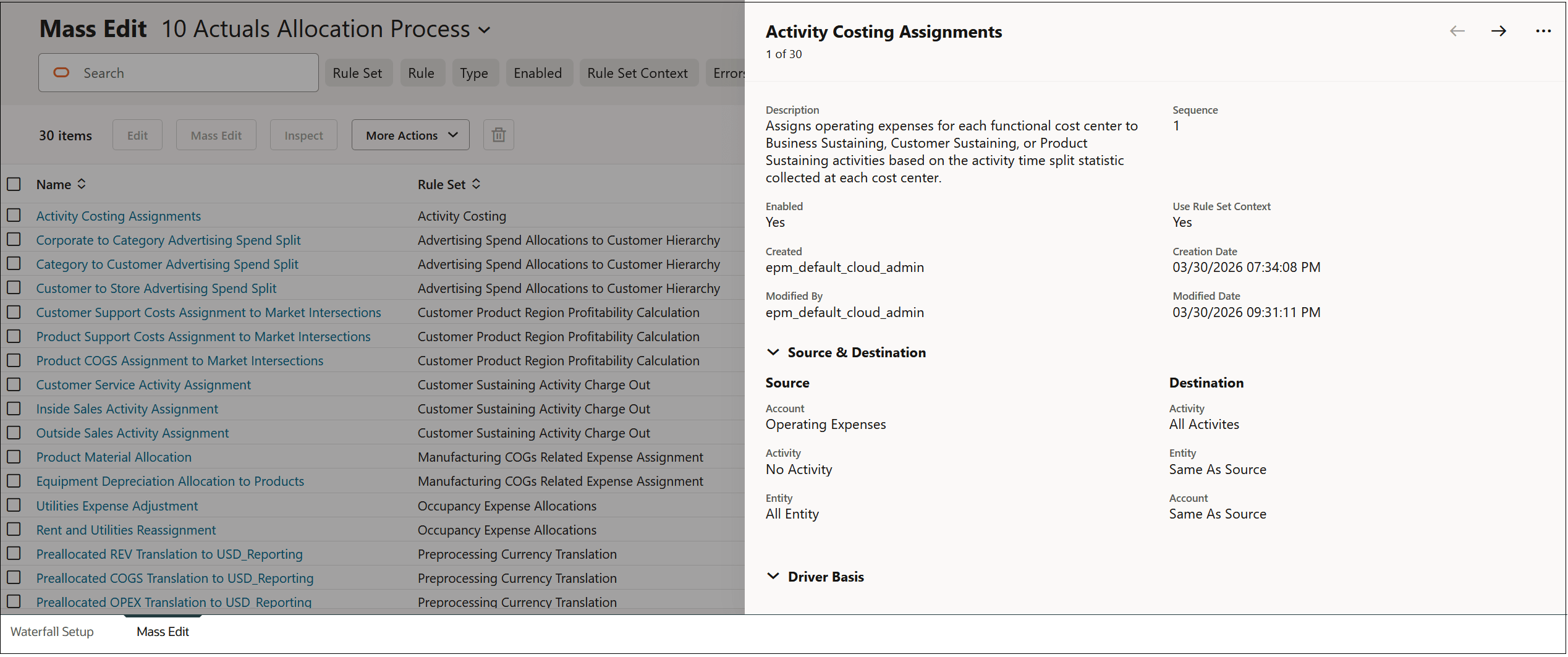
To display detailed information about a rule, select the rule and click Inspect. The details are dislayed in a pop-up window on the Mass Edit tab.
For example, the details about the Activity Costing Assignments rule in the BksML50 sample application provided with Enterprise Profitability and Cost Management are displayed as follows:
Click  and
and  at the top of the pop-up window to scroll forward and backward through the
rules on the Mass Edit tab.
at the top of the pop-up window to scroll forward and backward through the
rules on the Mass Edit tab.
Click  , and select Close or Maximize to
either close or maximum the pop-up windows.
, and select Close or Maximize to
either close or maximum the pop-up windows.