About Rule Designer 1.0
Use the Rule Designer to create and manage rules and rule sets.
To specify 1.0 as the version of the Rule Designer to use:
-
From the Home page, select Actions, and then Settings.
-
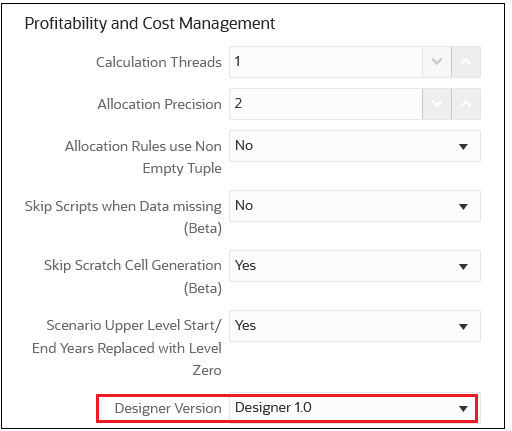
Under Profitability and Cost Management, set the Designer Version to Designer 1.0.
To access Rule Designer 1.0:
-
From the Home page, select Modeling, and then Designer.
-
Once you are in the Rule Designer, you can:
-
Use the Waterfall Setup tab to create, edit, delete, and copy rule sets and rules. The Waterfall Setup tab shows the full sequence of rule sets and rules for the model. See Using the Designer 1.0 Waterfall Setup Tab.
-
Use the Mass Edit tab to add and replace members, copy rules to rule sets and models, and enable and disable rules. See Using the Designer 1.0 Mass Edit Tab.
-