Viewing All Environments
Overview of viewing Oracle Fusion Cloud Enterprise Performance Management environments in the Oracle Cloud Console.
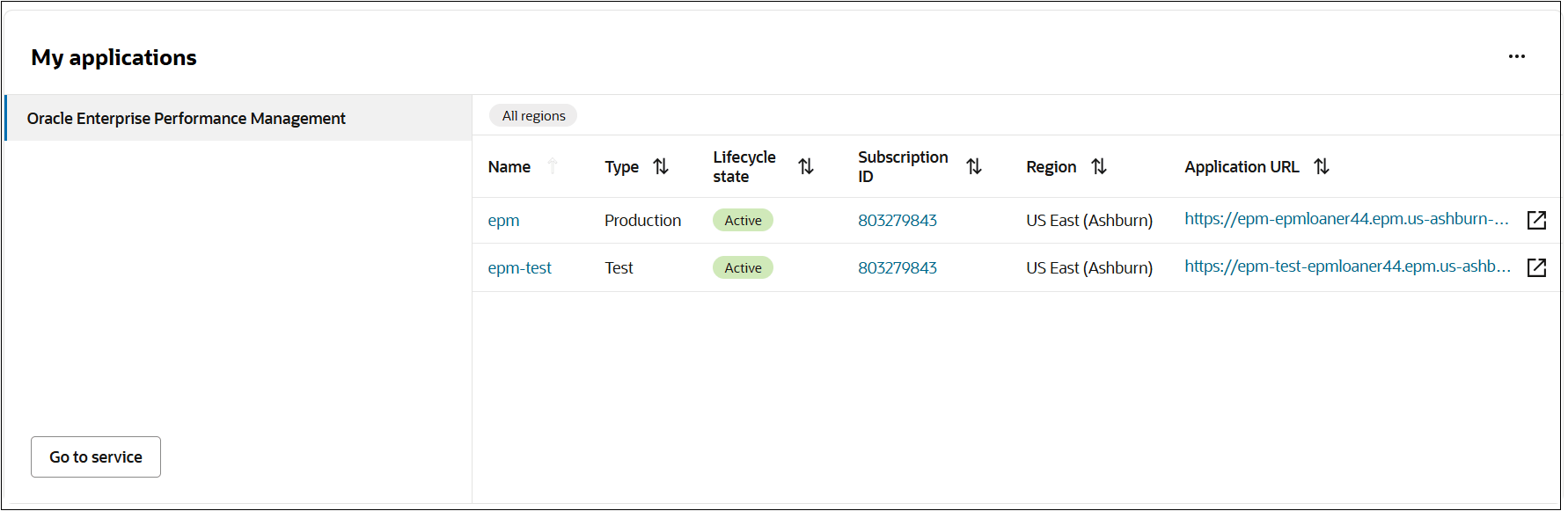
The My Applications section lists all Cloud EPM environments that you have access to. Each listed entry represents an environment instance.
For each environment, the following information is displayed:
- Name: Environment name
- Type: Environment type for example, production or test
- Lifecycle state: For example, Active
- Subscription ID
- Region
- Application URL: URL used to access the environment
You can sort the columns to quickly find environments by Subscription ID, environment type, or other attributes.
To view all Cloud EPM environments:
- From the Navigation menu, select Home.
- Click Applications.
- Scroll-down to My applications.
- Click Oracle Enterprise Performance Management.