Switch a Workspace
When you’re working on things in parallel, you might need to switch between workspaces to continue your work. It’s easy to do that in the Designer.
-
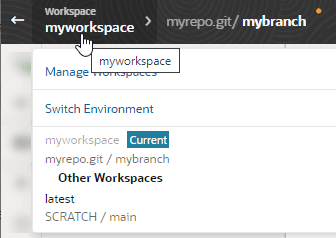
With your workspace open in the Designer, click the workspace name in the header.
-
Select the workspace you want to switch to. If the workspace you want to switch to is tied to an environment in a different identity domain, you’ll be prompted to switch the workspace’s environment before the workspace can open in the Designer.