Make a Container Available to Extensions
If you want to let others extend a container in your App UI, you need to explicitly mark the container as accessible to extensions. This lets someone add a dependency on the extension that contains your App UI, and then configure the container to add new cases and define sections.
To mark a container you’ve added to your App UI as accessible to extensions:
- In the Page Designer, select the dynamic container.
-
In the container’s Properties pane, click Enabled under Access for Application Extensions.
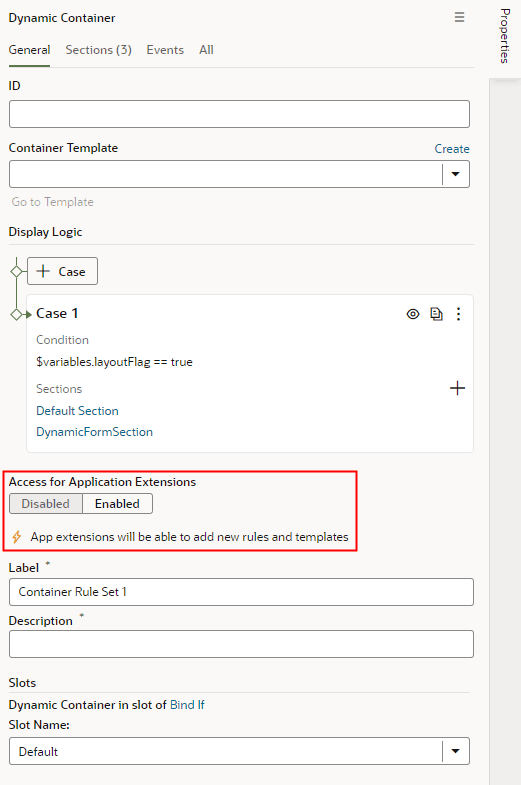
Description of the illustration dynamic-container-enable-extension1.png
The container’s Label and Description fields are displayed in the Properties pane when you enable access for application extensions.
- Enter the Label and Description so developers who extend the container know what the container is used for.
Note: After you’ve made a container accessible to extensions, you should avoid renaming its ID. Renaming an ID might break the extensions that use it.