Create Action Chains in Design View
When you use the Actions palette, Properties pane, and Structure pane in Design view, VB Studio writes the corresponding JavaScript behind the scenes. You can edit this code directly at any time by switching to Code view, which opens a code editor.
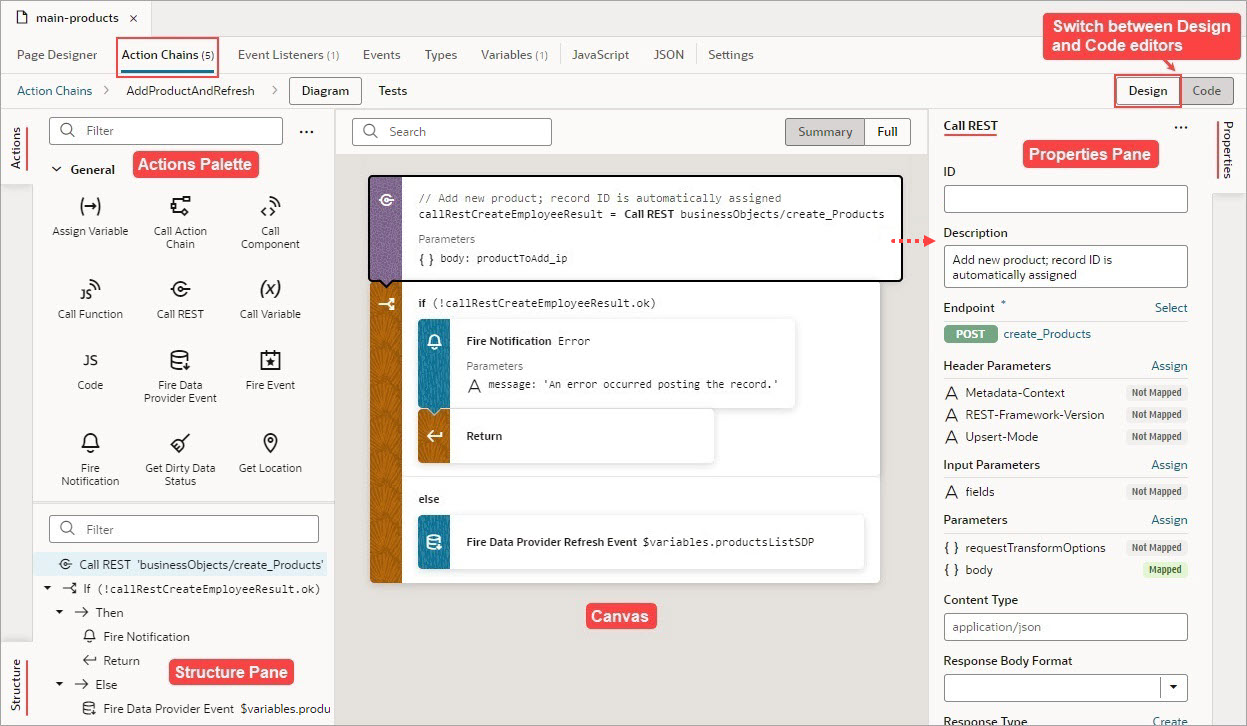
Description of the illustration jsac-action-chain-editor-overview1.jpg
Right-click an action to display a context menu with the following options:
- Go to Code: Go to the action’s code in the code editor.
- Surround with If: Surround the action with an If action.
- Surround with Try-Catch: Surround the action with a Try-Catch action.
- Duplicate: Duplicate an action, or a code block within an If, Switch, or Run in Parallel action. For an If action, you can’t duplicate an Else block, and for a Switch action, you can’t duplicate the Default block.
- Delete: Delete the action.
Here are some helpful tips for working with action chains:
- Use the search box at the top of the canvas to find text within your action chain.
-
When you add a local function, the function and its actions are added to the Structure pane for quick navigation; the function’s properties appear in the Properties pane; and the local function is added to the Actions palette, under a newly created Local Functions category:
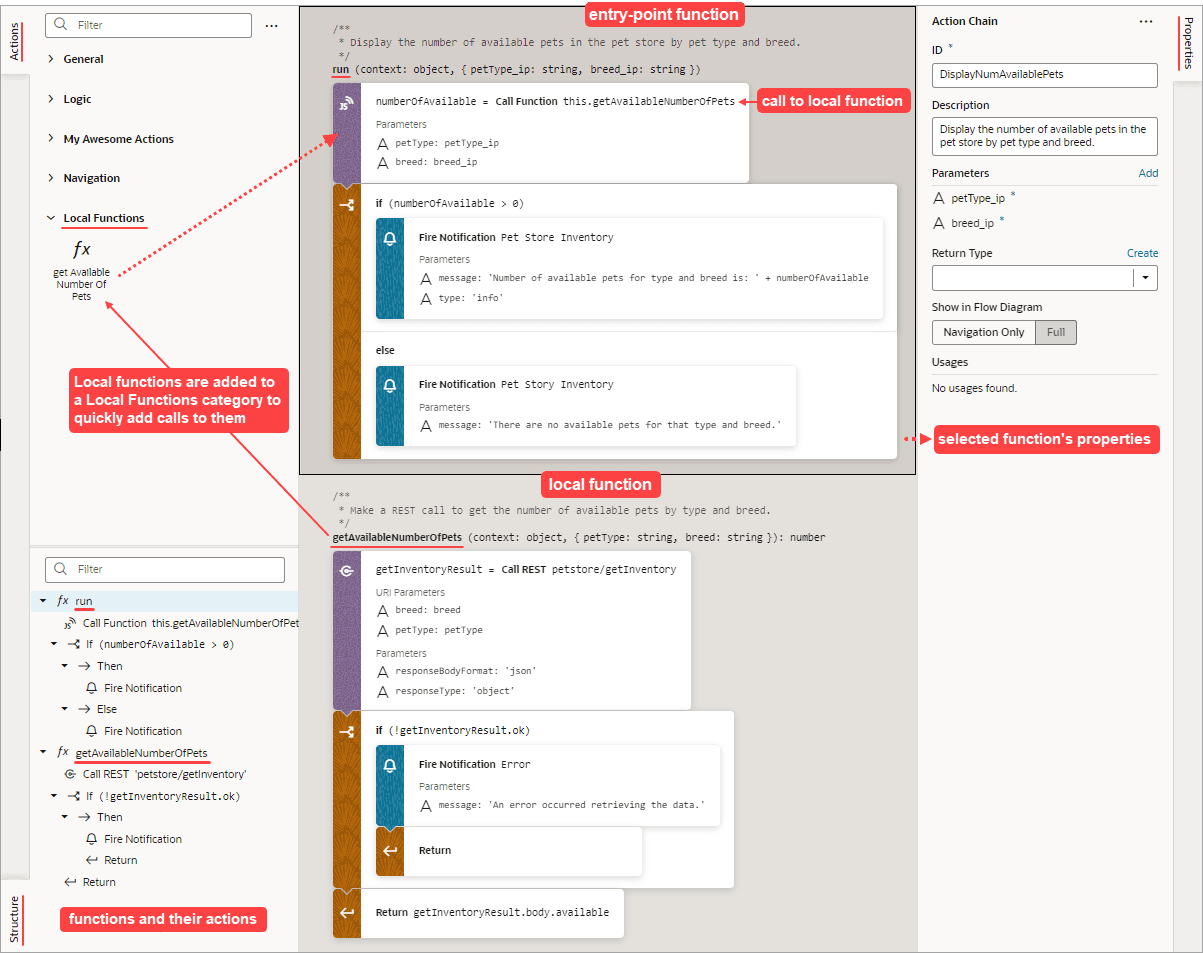
Description of the illustration jsac-local-functions-example.png
- To convert a local function into an action chain for use in other action chains, right-click the local function and select Convert Function to Chain. The local function and any local functions it uses are converted to an action chain. In the original action chain, the Call Function action that called the local function will be converted to a Call Action Chain action that calls the new action chain.
-
You can also create a local function from an action on the canvas. Just drag an action from the canvas onto the Create Function button that appears on the bottom right of the canvas, or onto the green line that appears before or after a local function. In this example, we create a local function by dragging a For Each action onto the Create Function button:
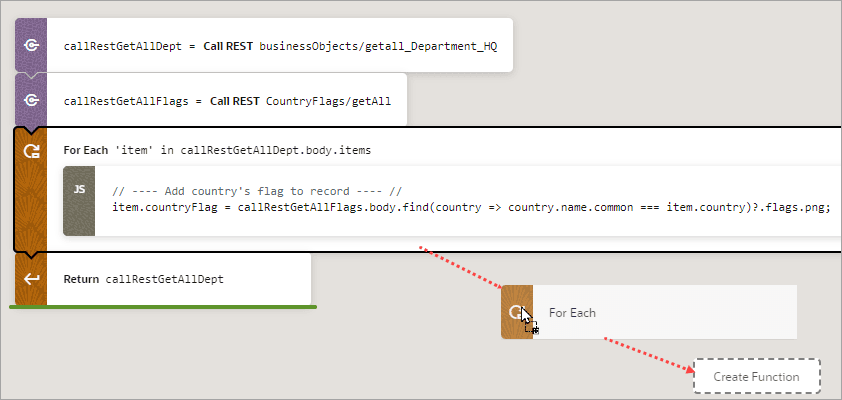
Description of the illustration jsac-canvas-action-function.png
In the
run()entry point function, the For Each action is replaced with a Call Function action that calls the new local function: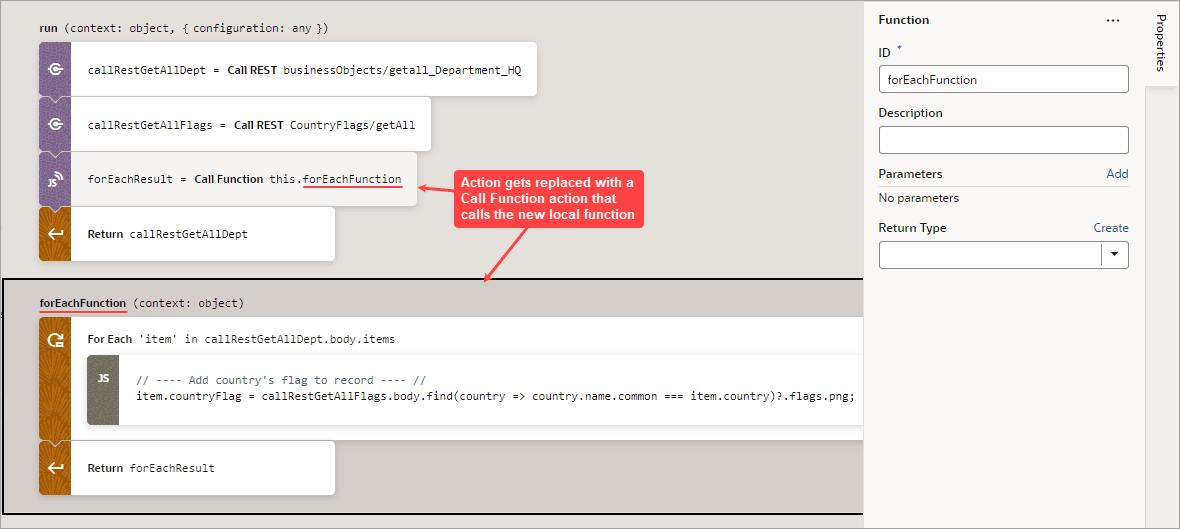
Description of the illustration jsac-canvas-action-function2.png
-
To visually simplify large action chains, you can fold (collapse) the code blocks for If, Switch, Run in Parallel, and For Each actions. To do so, hover over the canvas’s left margin and click the down arrows for the blocks of code to fold. To unfold a block, click the corresponding right arrow or ellipses on the action card:
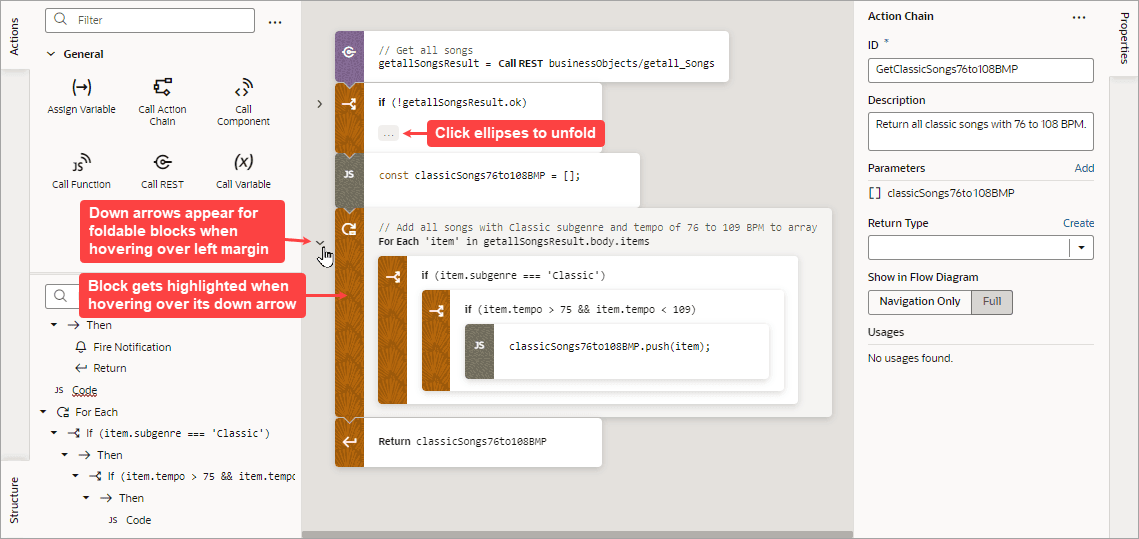
Description of the illustration jsac-foldable-code1.png
You can further visually simplify an action chain by hovering over the canvas’s upper-left corner and clicking the Summary button that appears. The Summary button hides the input parameter details for each action, except the Assign Variable and Reset Variables actions. The Full button switches back to displaying them:

Description of the illustration jsac-summary-full-buttons1.png
- If you prefer to construct your action chain using code, click the Code button at the top-right of the screen to open a code editor. Typically, one uses Design view to visually add and configure an action, then switches back to Code view to work directly with the code, as needed.