Explore and Validate an RDF Graph Collection
You can view the list of RDF graph collections to which you have access in Graph Studio and explore their properties.
Also, you can execute SPARQL queries
on an RDF graph collection in the Query Playground
page.
- Select the required row having the Type as RDF Graph
Collection.The graph collection properties are displayed on the bottom panel as shown:
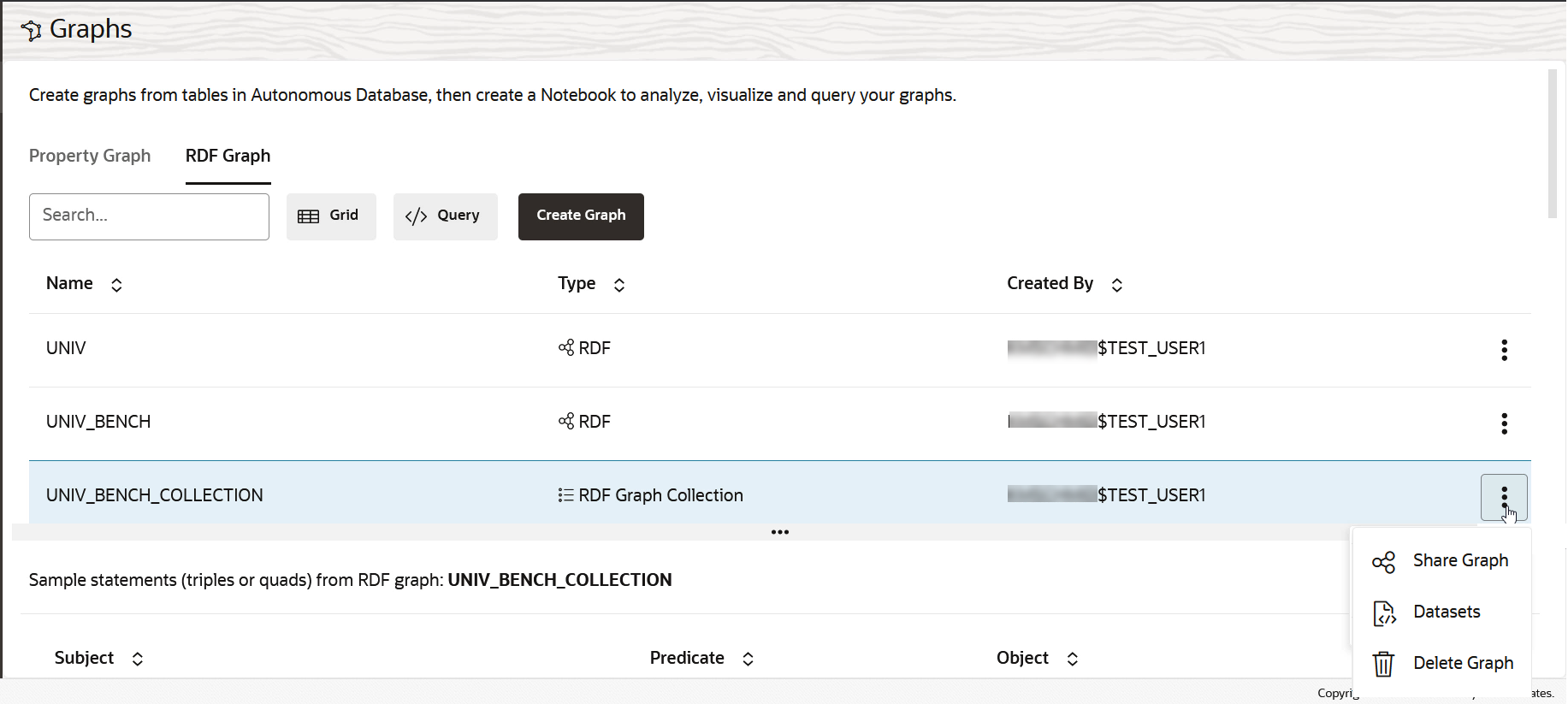
Description of the illustration rdf_coll_management.pngYou can view the RDF statements that are loaded for the graph collection.
- Optionally, click open the additional graph options menu to perform any of the
followings actions.
- Click Share Graph to share an RDF graph collection with another user. See Share an RDF Graph for more information.
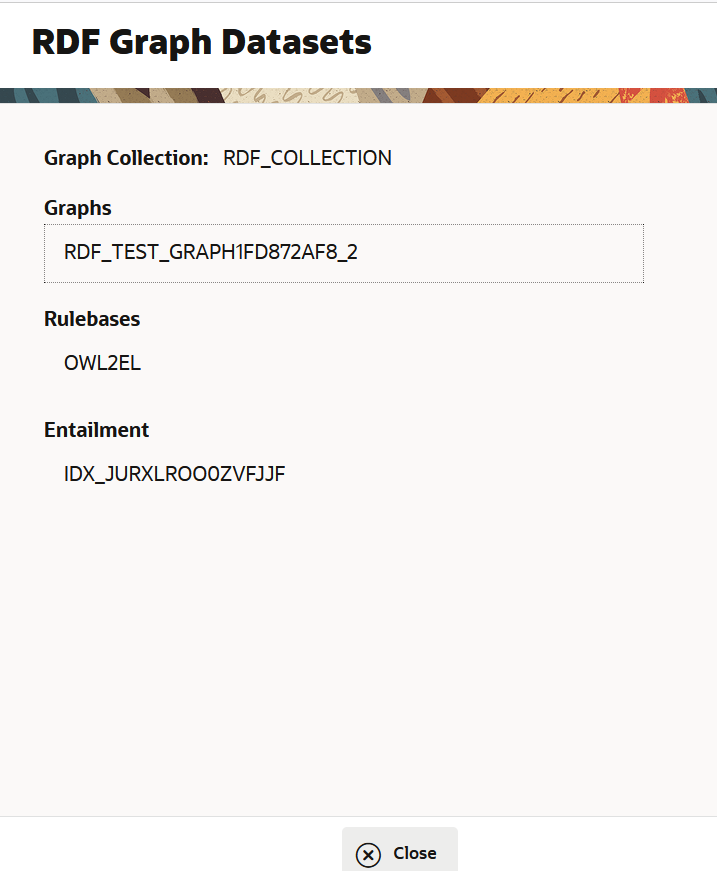
- Click Datasets to view the summary of the selected RDF graph collection as shown:
- Click Delete to delete an RDF graph collection.
- Optionally, click the </> Query button to open the
Query Playground page and run a SPARQL query on an RDF graph collection.
- Click Execute to run the query.
For instance, the following example runs a SPARQL
CONSTRUCTquery on the selected RDF graph collection. Note that the query was auto-generated by choosing CONSTRUCT in the Templates drop-down.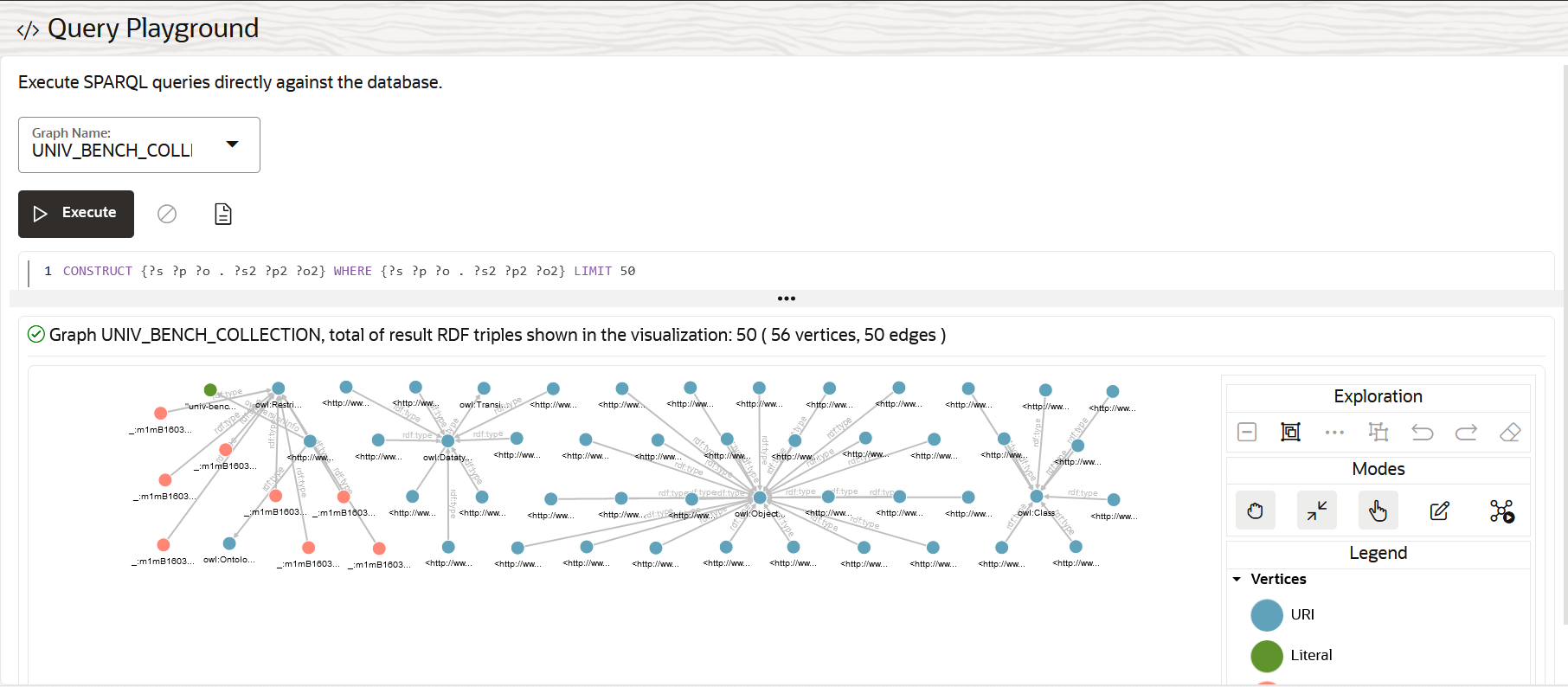
Description of the illustration rdf_graph_coll_query_play_ground.png
- Click Execute to run the query.