Find Recipes and Accelerators
Use the Integration store to browse the portfolio of prebuilt solutions available in Oracle Integration.
On the Oracle Integration Home page, select Browse solutions. The Integration store opens and displays:
- Oracle-developed recipes and accelerators
- Third-party recipes, accelerators, and adapters
- Recipes and accelerators listed on Oracle Cloud Marketplace
Note:
A third-party recipe, accelerator, or adapter is built by an Oracle partner or an independent software vendor.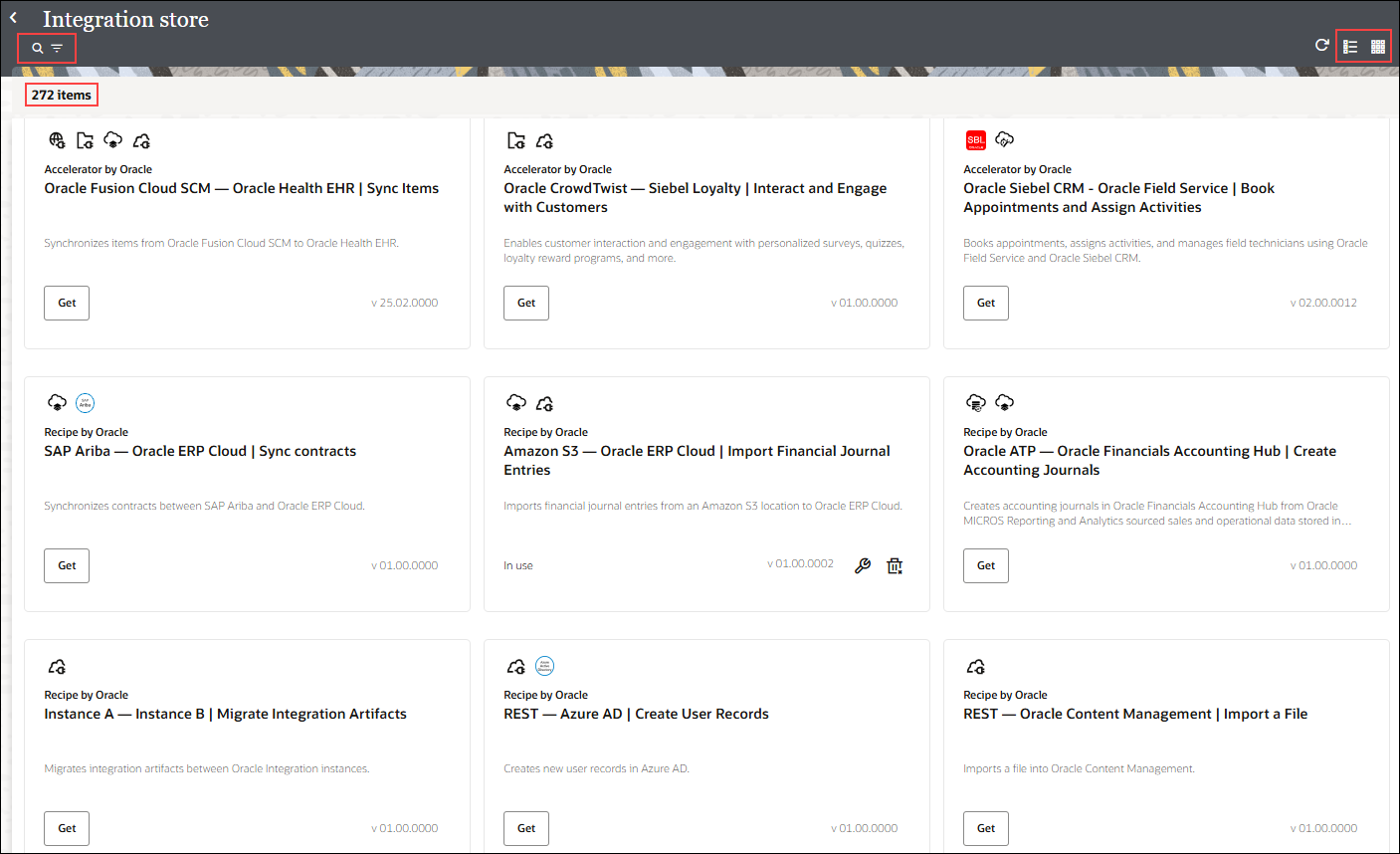
Description of the illustration rac-int-store.png
By default, all recipes, accelerators, and adapters are displayed in card view. To toggle between card and list view, use the Card View and List View icons.
Use the tabs in the upper-right to filter the Integration store by prebuilt solution type. Select a tab, such as Accelerator, Recipe, Adapter, or Marketplace listing, to display only solutions of that type. The number in parentheses indicates the total number of available solutions for that type. For example, Accelerator (54) indicates that 54 accelerators are available in the Integration store.
Search Recipes and Accelerators
In the Integration store, click Search  and enter the name of the solution in the field to search for it. Alternatively, you can also do a search based on keywords. To narrow down your search, click Filter
  next to the search field and apply filters based on Type, Sort by and Built by.