Provide a Simple Instruction to the OpenAI Model
This use case demonstrates how to provide a simple question to the specified OpenAI model when using the Responses API. The simple prompt focuses on clarity and conciseness, avoiding complex phrasing or unnecessary details that can potentially confuse the model.
- Configure a REST Adapter trigger connection.
- Configure an OpenAI Adapter invoke connection. See Create a Connection.
- Create an application integration.
- Drag the REST Adapter trigger connection into the
integration canvas for configuration. For this example, the REST Adapter is configured as follows:
- A REST Service URL of
/extendedis specified for this example. - A Method of POST is selected.
- A Request Media Type of
JSON is selected and the following sample
JSON structure is
specified:
{ "model" : "gpt-4o", "input" : "register the functions for tool calling" } - A Response Media Type of
JSON is selected and the following sample
JSON structure is
specified:
{ "id" : "resp_682b6c897b408198aff19b602ca3f0a20b404da49e82c3e4", "object" : "response", "created_at" : 1747676297, "status" : "completed", "model" : "gpt-4o-2024-08-06", "output" : [ { "id" : "msg_682b6c8a1fd08198b585adaae3f27b6e0b404da49e82c3e4", "type" : "message", "status" : "completed", "content" : [ { "type" : "output_text", "text" : "Welcome! How can I assist you today?" } ], "role" : "assistant" } ], "parallel_tool_calls" : true, "previous_response_id" : "abcd", "reasoning" : { "effort" : "abcd", "summary" : "abcd" }, "service_tier" : "default", "store" : true, "temperature" : 1.0, "text" : { "format" : { "type" : "text" } }, "tool_choice" : "auto", "top_p" : 1.0, "truncation" : "disabled", "usage" : { "input_tokens" : 12, "input_tokens_details" : { "cached_tokens" : 0 }, "output_tokens" : 10, "output_tokens_details" : { "reasoning_tokens" : 0 }, "total_tokens" : 22 } }
- A REST Service URL of
- Drag the OpenAI Adapter invoke connection into the
integration canvas and configure it as follows.
- On the Basic Info page, select Responses API from the Action list.
- On the Configuration page, select the following:
- From the OpenAI LLM Models list, select the model to use (for this example, gpt-4o is selected).
- From the Request Type list, select Simple Prompt.
- Open the request mapper automatically created when the OpenAI Adapter invoke connection was added to the integration. The mapper that was automatically created with the REST Adapter trigger connection is not edited and remains empty in this use case.
- In the request mapper, map the source Input element to
the target Input element.
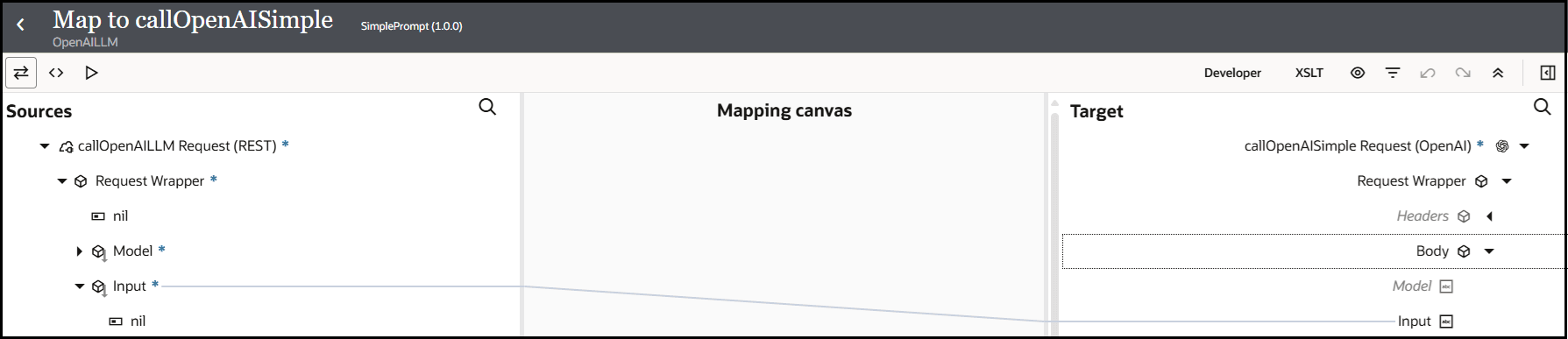
- In the response mapper, expand the source Body element
and target Response Wrapper element.
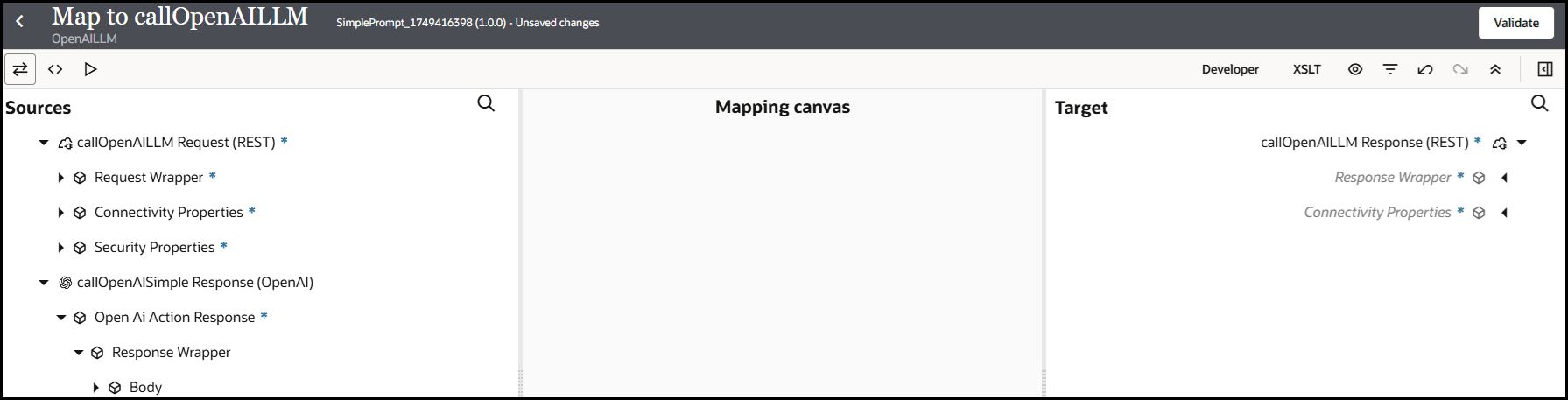
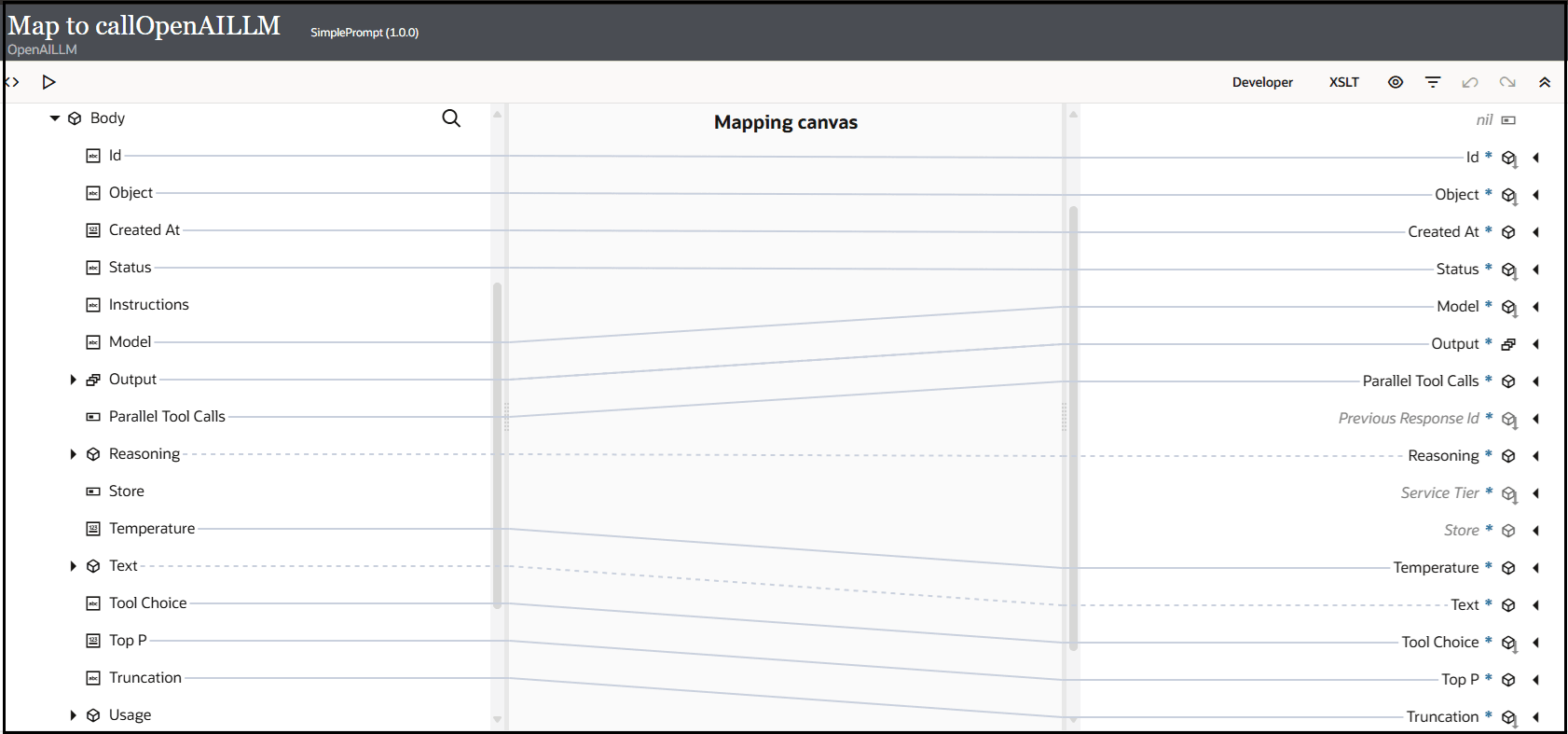
- Perform the following source-to-target mappings.
- Specify a business identifier and activate the integration.
The completed integration looks as follows:

- From the Actions
menu, select Run.The Configure and run page appears. - In the Body field of the Request
section, enter the following content, then click
Run.
input: Enter the text input to the model.model: Specify the model ID to generate the response. This is the model you selected when configuring the OpenAI Adapter in the integration.
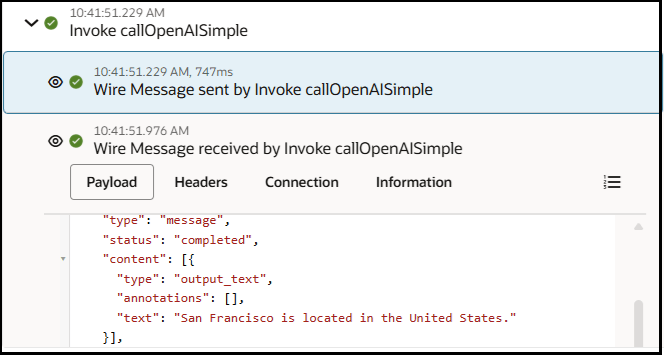
{ "input": "In Which country is San Francisco located", "model": "gpt-4o" }The Body field of the Response section returns the following output. The country in which San Francisco is located is returned.{ "id" : "resp_6845cb5f623881998e1652ac9d60b669087e7c84ef2dd435", "object" : "response", "created_at" : 1749404511, "status" : "completed", "model" : "gpt-4o-2024-08-06", "output" : [ { "id" : "msg_6845cb5fcc0c81998c5e8fe27d92ff66087e7c84ef2dd435", "type" : "message", "content" : [ { "type" : "output_text", "text" : "San Francisco is located in the United States." } ] } ], "parallel_tool_calls" : true, "reasoning" : { "effort" : "" }, "temperature" : 1, "text" : { "format" : { "type" : "text" } }, "tool_choice" : "auto", "top_p" : 1, "truncation" : "disabled" } - Expand the activity stream to view the flow of the messages sent and
received.
- Message sent by the invoke connection to the OpenAI model:
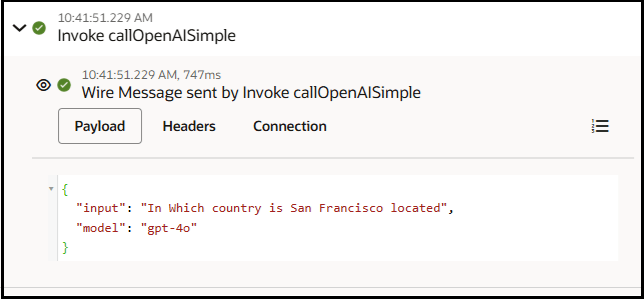
- Message received by the invoke connection from the OpenAI
model:
- Message sent by the invoke connection to the OpenAI model: