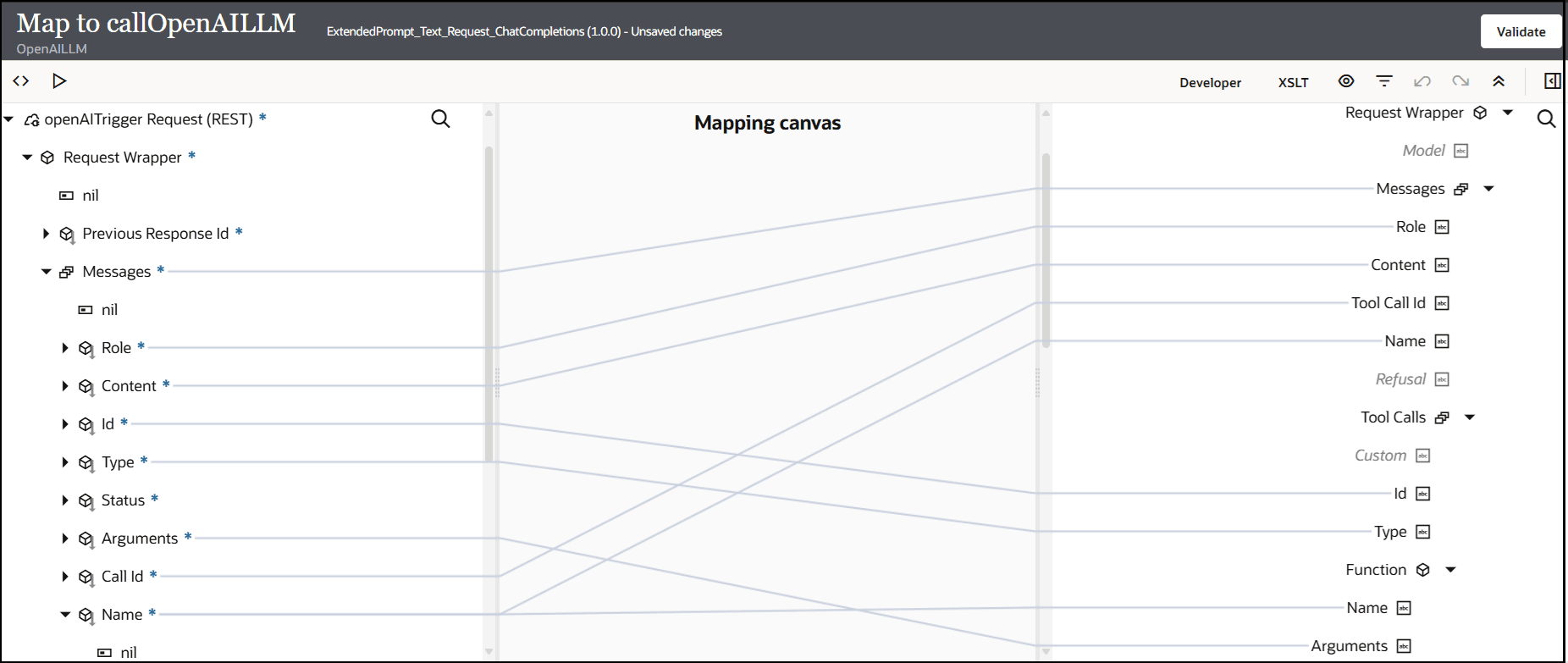
A Request Media Type of
JSON is selected and the following sample JSON structure is
specified:{
"previous_response_id" : "resp_67fcf9d44a441592841b47ff452bb2c40f3934e820b8b734",
"messages" : [ {
"role" : "user",
"content" : "What is the weather like in Boston today?",
"id" : "fc_59976d15c16c8192bfd40ea202148e2709a262500b6fb5c2",
"type" : "function_call",
"status" : "completed",
"arguments" : "{\"document_name\":\"R010\"}",
"call_id" : "call_MUbVuvEfzFkwFwD30ZiBQCUg",
"name" : "classify_document",
"output" : "receipts"
}, {
"role" : "user",
"content" : "What is the weather like in Boston today?",
"id" : "fc_59976d15c16c8192bfd40ea202148e2709a262500b6fb5c2",
"type" : "function_call",
"status" : "completed",
"arguments" : "{\"document_name\":\"R010\"}",
"call_id" : "call_MUbVuvEfzFkwFwD30ZiBQCUg",
"name" : "classify_document",
"output" : "receipts"
} ],
"tools" : "[ {\r\n \"type\" : \"function\",\r\n \"name\" : \"classify_document\",\r\n \"description\" : \"classifies document whether its item reciept or invoice\",\r\n \"parameters\" : {\r\n \"type\" : \"object\",\r\n \"required\" : [ \"document_name\"],\r\n \"properties\" : {\r\n \"document_name\" : {\r\n \"type\" : \"string\",\r\n \"description\" : \"This tells the document name\"\r\n }\r\n }\r\n }\r\n }, {\r\n \"type\" : \"function\",\r\n \"name\" : \"extract_receipt_data\",\r\n \"description\" : \"Extracts Receipt data\",\r\n \"parameters\" : {\r\n \"type\" : \"object\",\r\n \"required\" : [ \"receipt_id\"],\r\n \"properties\" : {\r\n \"receipt_id\" : {\r\n \"type\" : \"string\",\r\n \"description\" : \"the receipt id to extract.\"\r\n }\r\n }\r\n }\r\n }, {\r\n \"type\" : \"function\",\r\n \"name\" : \"rag_retrieval\",\r\n \"description\" : \"Extracts Receipt data\",\r\n \"parameters\" : {\r\n \"type\" : \"object\",\r\n \"properties\" : {\r\n \"question\" : {\r\n \"type\" : \"string\",\r\n \"description\" : \"The user's query.\"\r\n },\r\n \"collection_name\" : {\r\n \"type\" : \"string\",\r\n \"description\" : \"Name of the ChromaDB collection.\",\r\n \"default\" : \"oracle_integration_documents\",\r\n \"enum\" : [ \"oracle_integration_documents\", \"expense_report_policy_documents\" ]\r\n }\r\n },\r\n \"required\" : [ \"question\"]\r\n }\r\n }, {\r\n \"type\" : \"function\",\r\n \"name\" : \"create_expense_report\",\r\n \"description\" : \"This tool creates expense report\",\r\n \"parameters\" : {\r\n \"type\" : \"object\",\r\n \"properties\" : {\r\n \"amount\" : {\r\n \"type\" : \"string\",\r\n \"description\" : \"recipt expense amount\"\r\n }\r\n },\r\n \"required\" : [ \"amount\" ]\r\n }\r\n } ]"
}
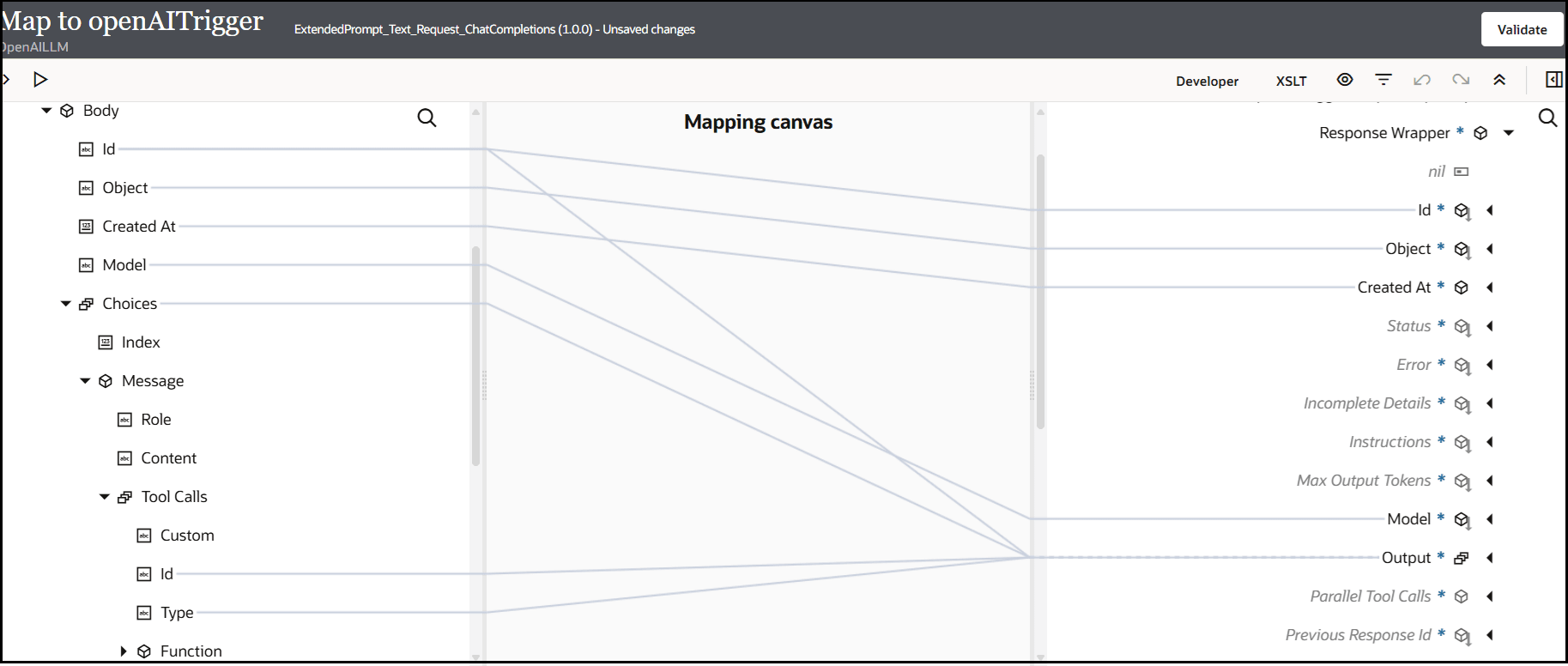
A Response Media Type of
JSON is selected and the following sample JSON structure is
specified:{
"id" : "resp_68109ae7dd748192a3b562b362fa7e3104b7fafa5b45e5a9",
"object" : "response",
"created_at" : 1745918695,
"status" : "completed",
"error" : null,
"incomplete_details" : null,
"instructions" : null,
"max_output_tokens" : null,
"model" : "gpt-3.5-turbo-0125",
"output" : [ {
"id" : "fc_68109aed4f9881928817969dfa1f0fcc04b7fafa5b45e5a9",
"type" : "function_call",
"status" : "completed",
"arguments" : "{\"location\":\"Boston, MA\",\"unit\":\"celsius\"}",
"call_id" : "call_C65f116qkbd246rHQAnftPcf",
"name" : "get_current_weather"
} ],
"parallel_tool_calls" : true,
"previous_response_id" : null,
"reasoning" : {
"effort" : null,
"summary" : null
},
"service_tier" : "default",
"store" : true,
"temperature" : 1.0,
"text" : {
"format" : {
"type" : "text"
}
},
"tool_choice" : "auto",
"tools" : [ {
"type" : "function",
"name" : "classify_document",
"description" : "classifies document whether its item reciept or invoice",
"parameters" : {
"type" : "object",
"properties" : {
"document_name" : {
"type" : "string",
"description" : "This tells the document name"
}
},
"required" : [ "document_name" ]
},
"strict" : true
}, {
"type" : "function",
"name" : "extract_receipt_data",
"description" : "Extracts Receipt data",
"parameters" : {
"type" : "object",
"properties" : {
"receipt_id" : {
"type" : "string",
"description" : "the receipt id to extract."
}
},
"required" : [ "receipt_id" ]
},
"strict" : true
} ],
"top_p" : 1.0,
"truncation" : "disabled",
"usage" : {
"input_tokens" : 86,
"input_tokens_details" : {
"cached_tokens" : 0
},
"output_tokens" : 23,
"output_tokens_details" : {
"reasoning_tokens" : 0
},
"total_tokens" : 109
},
"user" : "myuser"
}