Message Persistence and Tracking
As messages flow through the B2B integrations for receiving and sending messages, each inbound and outbound message is persisted separately, in addition to the usual integration instance tracking.
- To view B2B messages in a project.
- In the navigation pane, click Projects.
- Click the project in which to view B2B messages.
- Click B2B
 .
.
- Click Observe.
- To view B2B messages in a standalone environment.
- In the
navigation pane, click Observability,
then B2B tracking.
- In the
navigation pane, click Observability,
then B2B tracking.
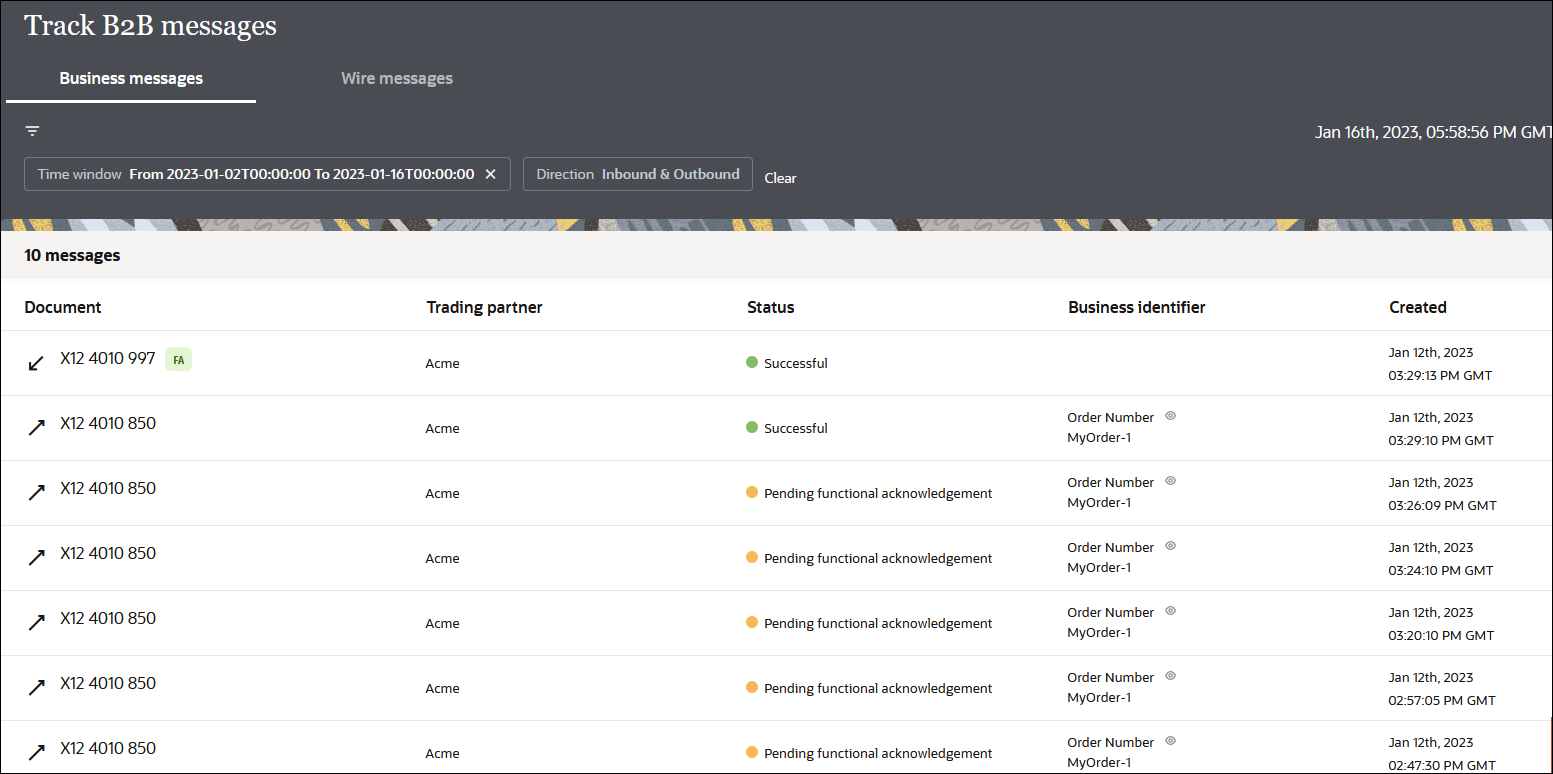
Business Messages
In this view, you see B2B messages as individual business transactions.
Rows marked  denote functional acknowledgments. Assume you receive an inbound message
containing batched transactions. This view shows individual rows for each individual
transaction within that batch.
denote functional acknowledgments. Assume you receive an inbound message
containing batched transactions. This view shows individual rows for each individual
transaction within that batch.
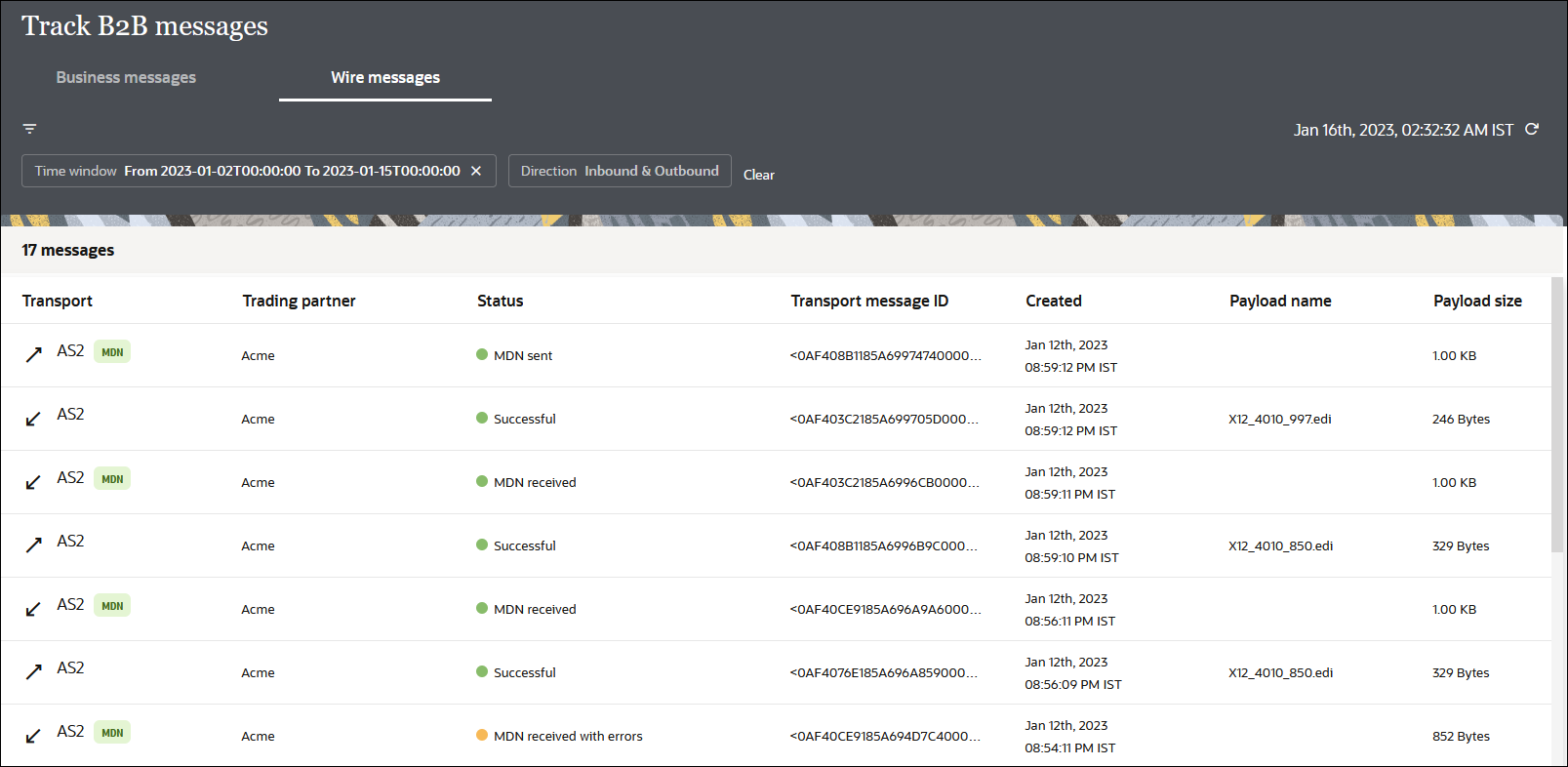
Wire Messages
An alternate, low-level technical view of B2B messages is provided with
the wire messages. In this view, you see messages in the form in which they are
transmitted to or received from a trading partner. This view is useful for
troubleshooting, in case the message failed to be delivered to a trading partner or
a received message failed signature verification. Rows marked with  denote AS2 MDNs (electronic return receipts) and AS4
receipts.
denote AS2 MDNs (electronic return receipts) and AS4
receipts.
In the case where you receive an inbound message containing a batched transaction, you only see one row corresponding to the actual batch message that was received.
More B2B tracking details are provided. See B2B Message Tracking.