Oracle recommends that you rotate your custom encryption key from
time-to-time to maintain security compliance. After rotating your encryption key, you can
use the Console to assign the new key version to your Oracle
Analytics Cloud instance.
If for any reason you need to change to a different encryption key, you
can do this from the Console too.
- In Oracle Cloud Infrastructure Console, rotate the existing encryption key or
set up a new one.
- In Console, click
 in the top left corner.
- Under Solutions and Platform, select AI Data
Platform, then Analytics Cloud.
- Select the compartment that contains the Oracle
Analytics Cloud instance you're looking for.
- Click the name of the instance you want to update data encryption details
for.
The Oracle
Analytics Cloud instance must be deployed with Enterprise Edition. Custom
encryption isn't available on Oracle
Analytics Cloud instances deployed with Professional Edition.
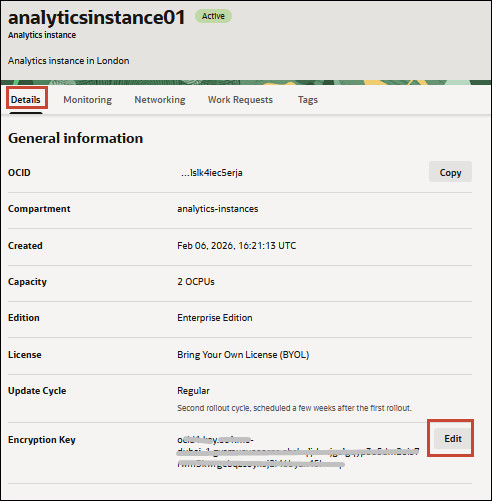
- On the Details page, navigate to Encryption Key and
click Edit.
- Do one of the following:
- Click Update.
The Activity Log shows
UPDATE_INSTANCE_ENCRYPTION_KEY in progress. The
encryption key is ready to use when you see the message Successfully
changed the Master Encryption Key.The key update might take
some time to complete; the length of time depends on the system load and the
amount of data that requires re-encryption.