创建使用生成式 AI 汇总附注的报表
您可以使用 Notes 或 GridNotes 文本函数(带附加参数)或者 SummarizeGridNotes 文本函数在文本框中汇总附注。
Notes 文本函数
要使用 Notes 文本函数汇总附注:
-
您可以编辑已有附注文本框的报表,或者在报表中创建新的附注文本框,在 Notes 文本函数中,将 Summarize Notes(汇总附注)参数设置为 True。例如:
Notes("P&L Named POV", "P&L Note Format", "P&L Variance", true) -
如果 Summarize Notes(汇总附注)=
true,则将使用 GenAI 对附注文本框结果中的附注进行汇总。如果 Summarize Notes(汇总附注)=
false,或者未包括 Use Context(使用上下文)参数,则附注文本框将显示为已定义,不包含任何 GenAI 汇总。例如:
-
Summarize Notes(汇总附注)=
false
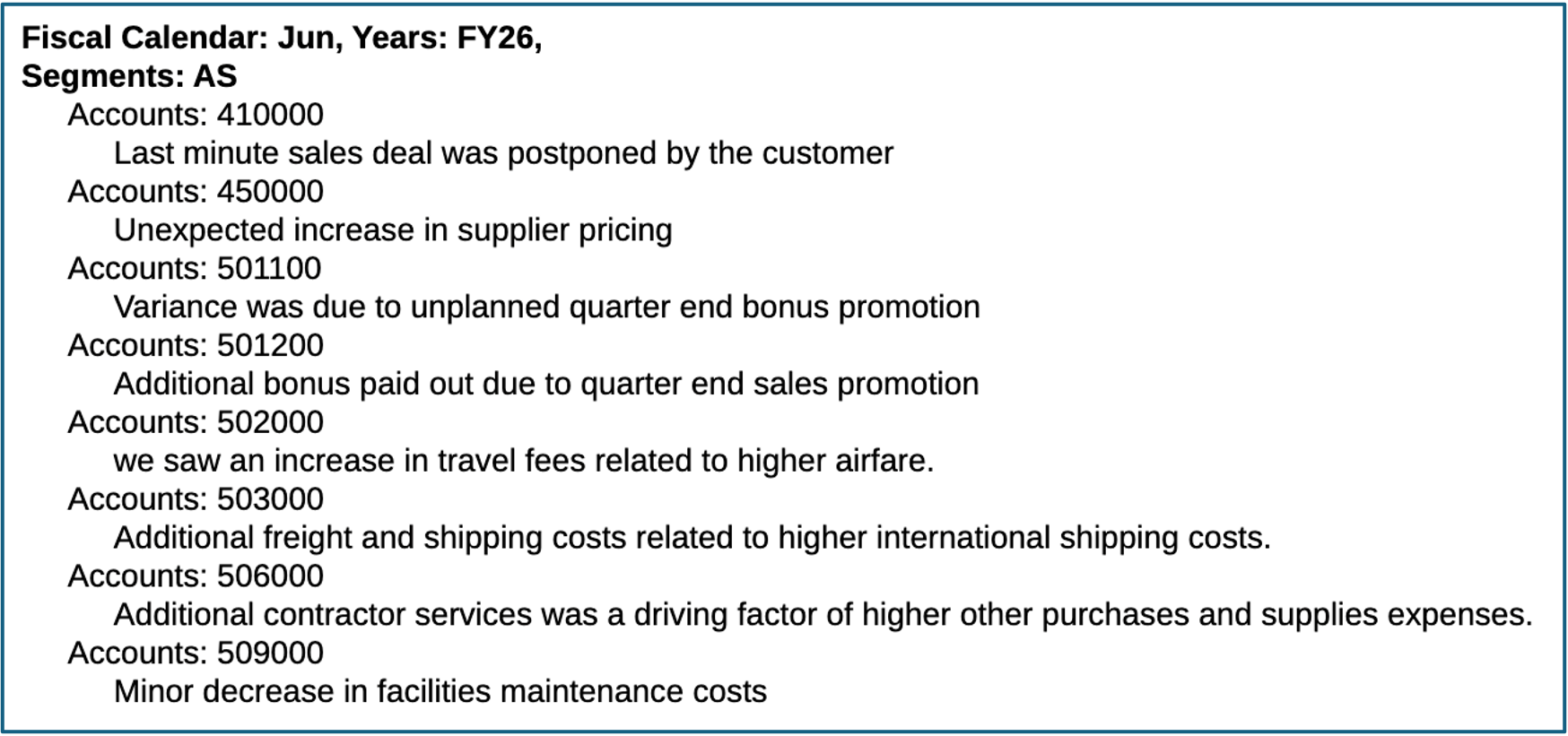
-
Summarize Notes(汇总附注)=
true

Note:
Use Context(使用上下文)不可用于使用 Note 文本函数汇总的附注,因为附注的底层数据值不可用。
有关附注文本框和 Notes 文本函数的详细信息,请参阅以下主题:
-
Notes 文本函数语法。
-
GridNotes 文本函数
要使用 GridNotes 文本函数汇总附注:
-
您可以编辑包含文本段(行或列)或文本框的报表。编辑现有
GridNotes文本函数或插入新的 GridNotes 文本函数。将 Summarize Notes(汇总附注)参数设置为true。例如:
GridNotes(D, "P&L GridNote Format", "P&L Variance", true) -
如果 Summarize Notes(汇总附注)=
true,则将使用 GenAI 对GridNotes函数进行汇总。如果 Summarize Notes(汇总附注)=
false,或者未包括 Use Context(使用上下文)参数,则GridNotes函数将仅显示附注,不包含任何 GenAI 汇总。例如:
-
网格设计器模式:
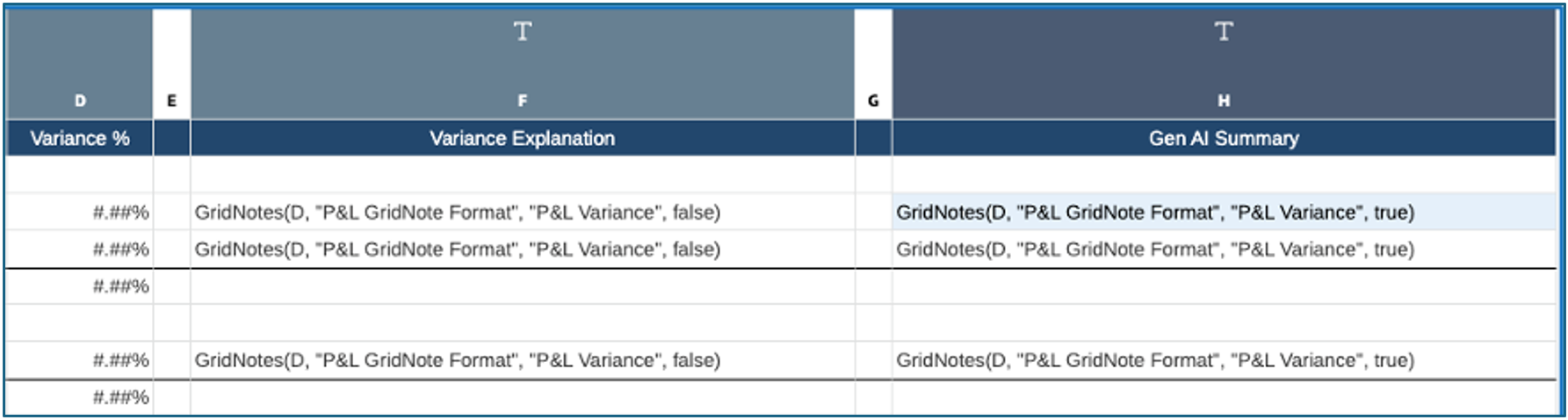
-
报表预览模式:
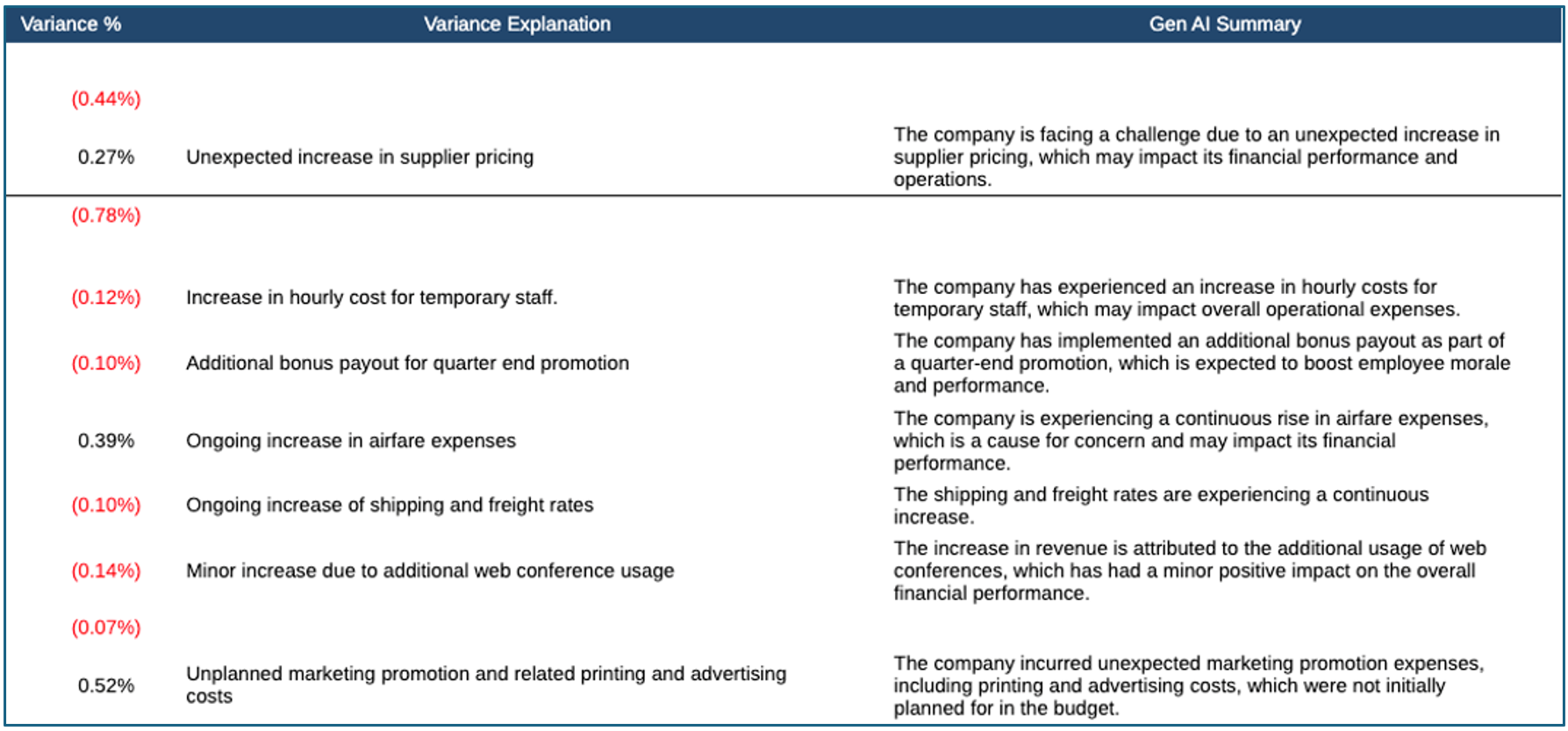
-
有关 GridNotes 文本函数的详细信息,请参阅 "GridNotes"。
SummarizeGridNotes 文本函数
SummarizeGridNotes 文本函数可以插入到文本框中,并用于汇总网格的附注段中显示的附注(网格内嵌附注输入)。
此函数仅可用于文本框中,不可用于文本行或列中。此外,还要求报表中存在具有附注段的网格。
要使用 SummarizeGridNotes 文本函数汇总附注:
-
将
SummarizeGridNotes插入到报表上的文本框中,并指定对附注段的行或列引用以及是否要添加参数 Use Context(使用上下文)。 -
例如:
SummarizeGridNotes(F, true),其中 F 引用 Note(附注)列,Use Context(使用上下文)参数设置为true。 -
报表预览模式:

-
有关
SummarizeGridNotes文本函数的详细信息,请参阅 "SummarizeGridNotes"。